Independent review
Tasks.org review: what our test found
Tasks.org 15.14.1 handled custom filters, recurring tasks and JSON backups on our Android 16 emulator without any account. Two things need attention on day one: reminders depend on two permissions that were off after install, and backups go by default to a folder that Android deletes with the app.
- Developer
- Tasks.org, LLC (open source project)
- License
- GPL-3.0
- Version tested
- 15.14.1
- APK release
- (external site)
- Emulator test
- Google Play installs
- 500K+
Task guides and troubleshooting
| Task guide | From the guide |
|---|---|
| How to build a custom filter in Tasks.org with AND, OR and NOT | The filter showed a task from the home tag. Jump to the fix |
| Back up Tasks.org to a JSON file and restore it, without a sync account | On a new phone, you do not know where to start. Jump to the fix |
| Tasks.org recurring tasks: repeat from the completion date, and what the priority colors mean | After we set the recurrence, the due date row still said No due date. Jump to the fix |
Our verdict, criterion by criterion
| Criterion | Verdict | What we saw |
|---|---|---|
| Usability | Powerful, with a learning curve | The task form shows every field at once: dates, repeat, four priority circles, list, tags, subtasks, reminders, location and attachments. The filter editor counts matching tasks on each line as you build it, which makes mistakes visible. The OR operator needs reading before use: it starts a new, independent group. |
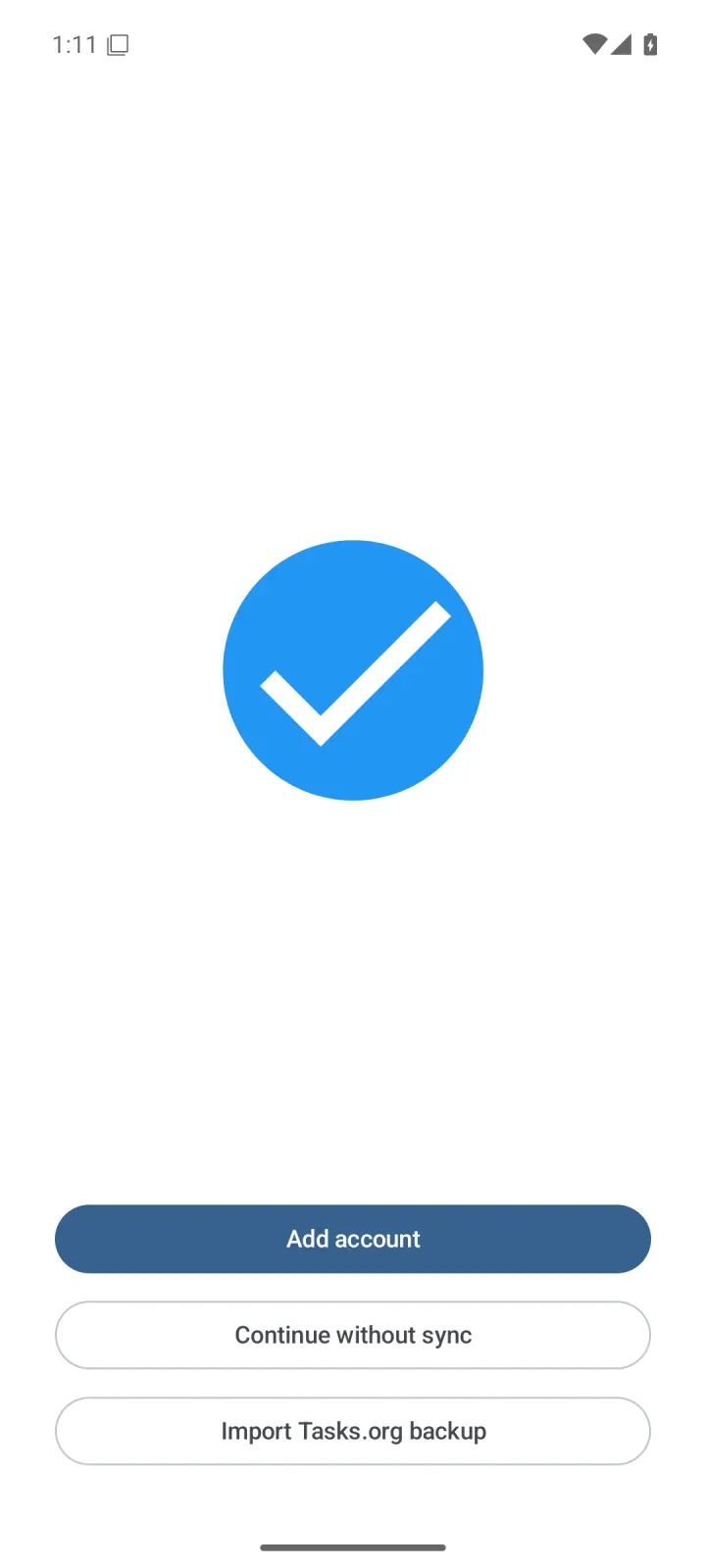
| Offline use | Worked without sync | The first screen offers Continue without sync, and the app then keeps tasks in a local list. Filters, recurring tasks, backup and restore all worked with no account. We did not run the test in airplane mode. |
| Privacy | No account required, broad permissions declared | We never signed in. The APK declares internet, location (including background location) and calendar permissions. The app did not ask for any of them during our test. The data safety section of the Play listing, filled in by the developer, says no data is shared with third parties and that the app may collect location, personal info and other data types. |
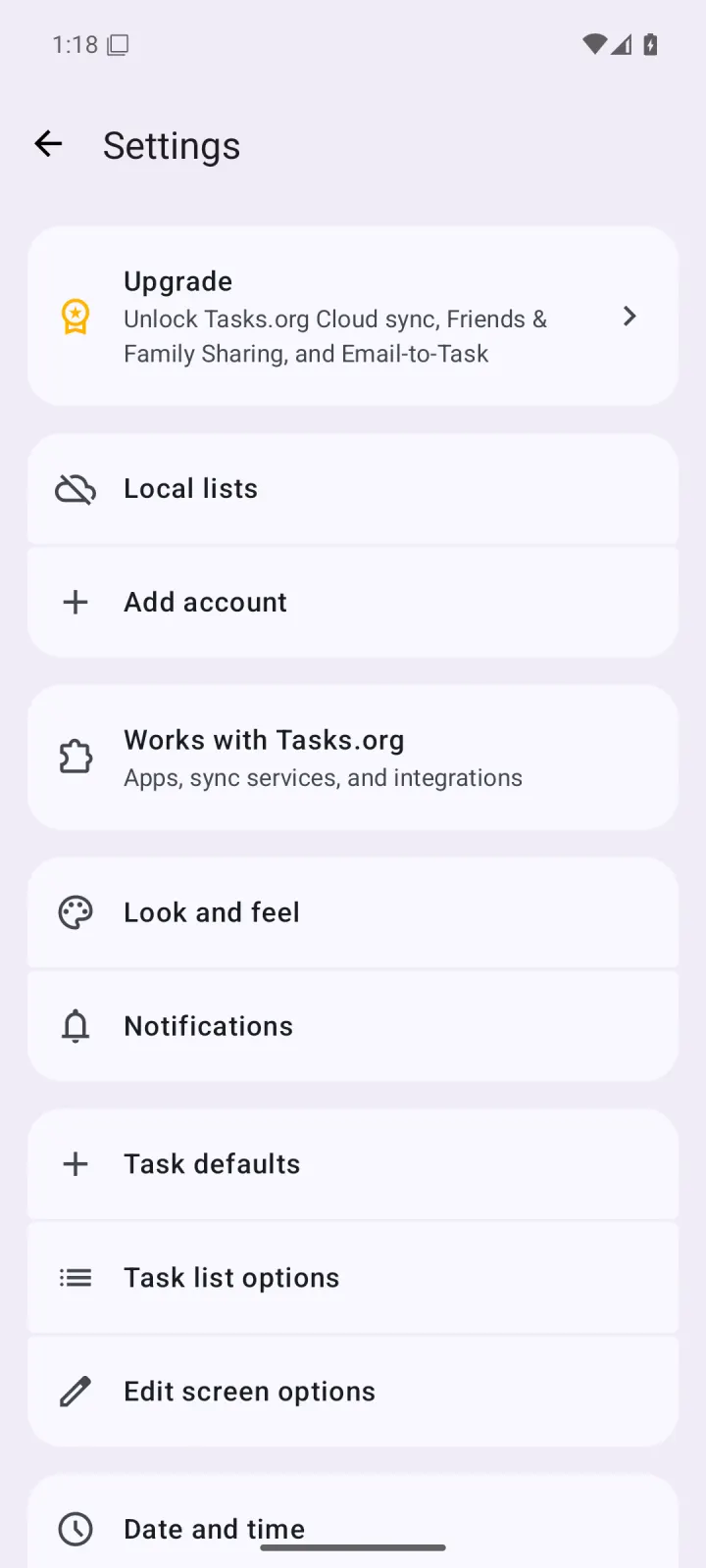
| Free vs paid | Free core, paid cloud extras | Settings opens with an Upgrade entry for Tasks.org Cloud sync, Friends & Family Sharing and Email-to-Task, and the Play listing mentions in-app purchases. Nothing in our three guides needed a purchase. |
| Limits found in testing | Permissions and backups need a first-day setup | The task form said Reminders are disabled in Android Settings, and the task list showed a banner asking for the alarms and reminders permission. The Backups screen warned that its default folder is deleted on uninstall. A restore only adds missing tasks: it does not undo edits. |
Limits we ran into
| # | Limit found in the test |
|---|---|
| 1 | Reminders need notification permission and the Alarms & reminders permission. Both were off after install, and the app showed a warning for each. |
| 2 | The default backup folder is inside Android/data/org.tasks, and the app itself warns that Android deletes it when Tasks.org is uninstalled. |
| 3 | Importing a backup only adds tasks that are missing. A task we had renamed kept its new name. |
| 4 | OR in the filter editor starts a new, independent group of criteria, so it can pull in tasks from other tags. |
| 5 | The backup documentation (external site) says file attachments are not backed up. We did not test attachments. |
Free vs paid
Tasks.org is open source under GPL-3.0, and every feature in our three guides worked on the free build with no account. The Settings screen offers an Upgrade for Tasks.org Cloud sync, Friends & Family Sharing and Email-to-Task, and the Google Play listing (external site) shows in-app purchases. We did not buy anything and did not test the paid features.
How we tested
We installed tasks-fdroid-15.14.1.apk from the project's GitHub release 15.14.1 (external site) on a Pixel 7 emulator running Android 16 (API 36). The release offers a Google Play variant and an F-Droid variant of the APK; we tested the F-Droid one. The file had the SHA-256 6e299e1546ebf9ed1af0cfcbdcf42b6a84aa24d7e8055ee39d6f21bd08d2d2e3, the same digest GitHub lists for it. Android reported package org.tasks, version 15.14.1.
- Fresh install, no Google account on the emulator, Continue without sync on the first screen.
- Six test tasks with different priorities, due dates and two tags, home and work, plus two recurring tasks.
- Three task flows captured step by step: a custom filter, recurrence and priorities, and backup and restore.
- The backup file pulled from the emulator with adb and read on a computer.
GrowShift has no affiliation with Tasks.org or its developer.
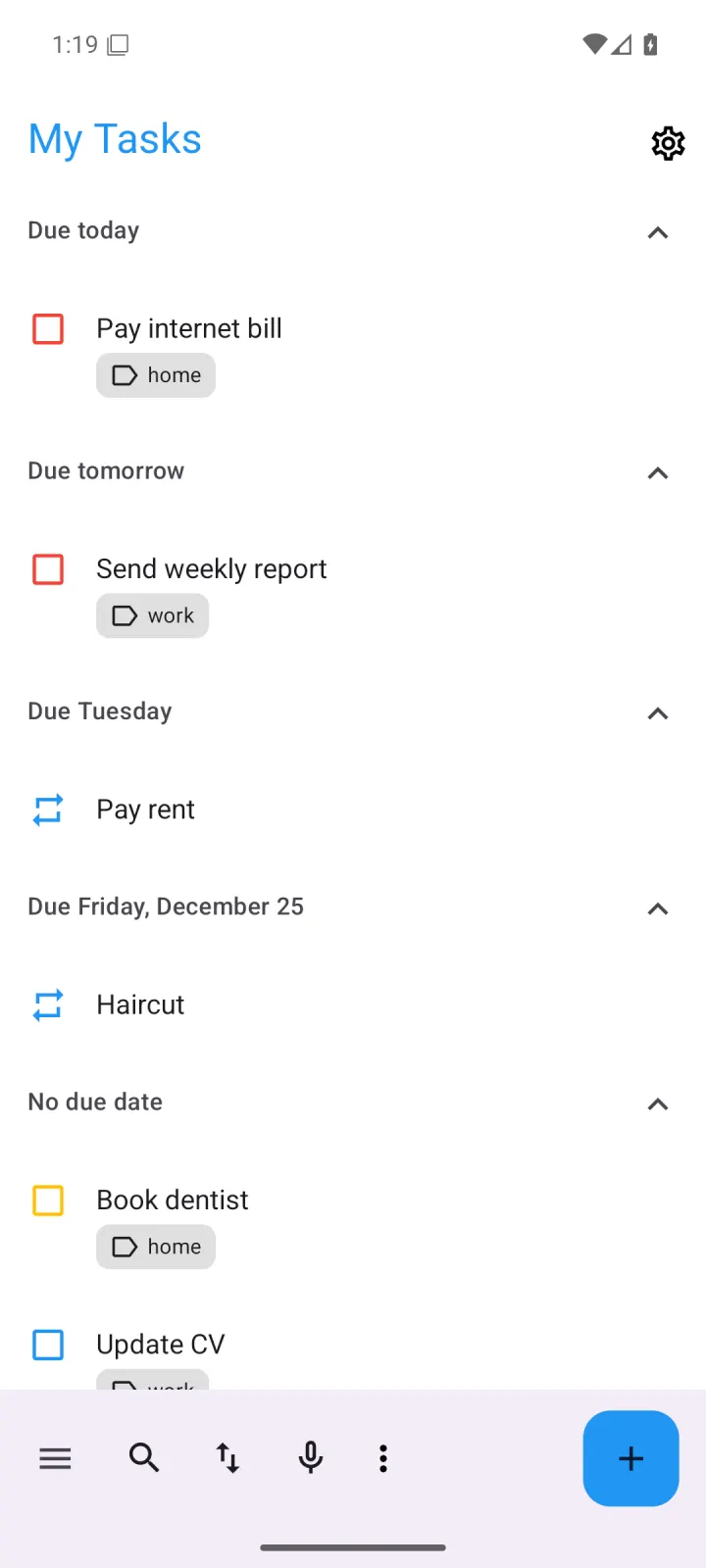
Daily task list and first launch without an account
On first launch, Tasks.org opens an onboarding screen before showing that list. Choosing Continue without sync keeps every task on the phone without creating an account.
Settings is the place to see what costs money and what does not. The Upgrade entry is at the top; local lists, backups, notifications and task defaults sit below it and need no account.
What we did not test
- Reminders and notifications: we left both permissions off.
- Sync with Tasks.org Cloud, CalDAV or any other account.
- Location reminders, attachments and widgets.
- Automatic backups, which the documentation says run at midnight, and Google Drive backups.
- The Google Play variant of the APK.
Sources
We checked these sources on the test date.