Tutorial · Tasks.org
Tasks.org recurring tasks: repeat from the completion date, and what the priority colors mean
We completed two overdue recurring tasks in Tasks.org 15.14.1 on the same day. The one set to repeat from the completion date moved to 25 December, four weeks after we finished it. The one set to repeat from the due date moved to 1 December. Here is how to set both, and how priorities show up in the list.
Test record
- App
- Tasks.org 15.14.1 (GitHub release, F-Droid variant)
- Device
- Pixel 7 emulator, Android 16 (API 36)
- Tested
- APK source
- official release page (external site)
- Conditions
- Fresh install, Continue without sync, no account. Two recurring tasks made overdue on purpose: Haircut due 13 November, Pay rent due 1 November. Four other tasks with high, medium and low priority for the color check. Reminders left off.
The late haircut problem
Some tasks repeat on the calendar: rent is due on the 1st whether you paid late or not. Others repeat from the last time you did them: if a haircut every four weeks happens two weeks late, the next one should not be due in two weeks. The Tasks.org recurrence documentation (external site) uses that same haircut example. We set up one task of each kind and completed both on 27 November.
| Task | Rule | Was due | New due date |
|---|---|---|---|
| Haircut | Every 4 weeks, from completion date | 13 November | 25 December |
| Pay rent | Every month, from due date | 1 November | 1 December |
Same completion day, two different answers, both correct for their task.
Set up a task that repeats from completion
Step 1 Open the repeat options
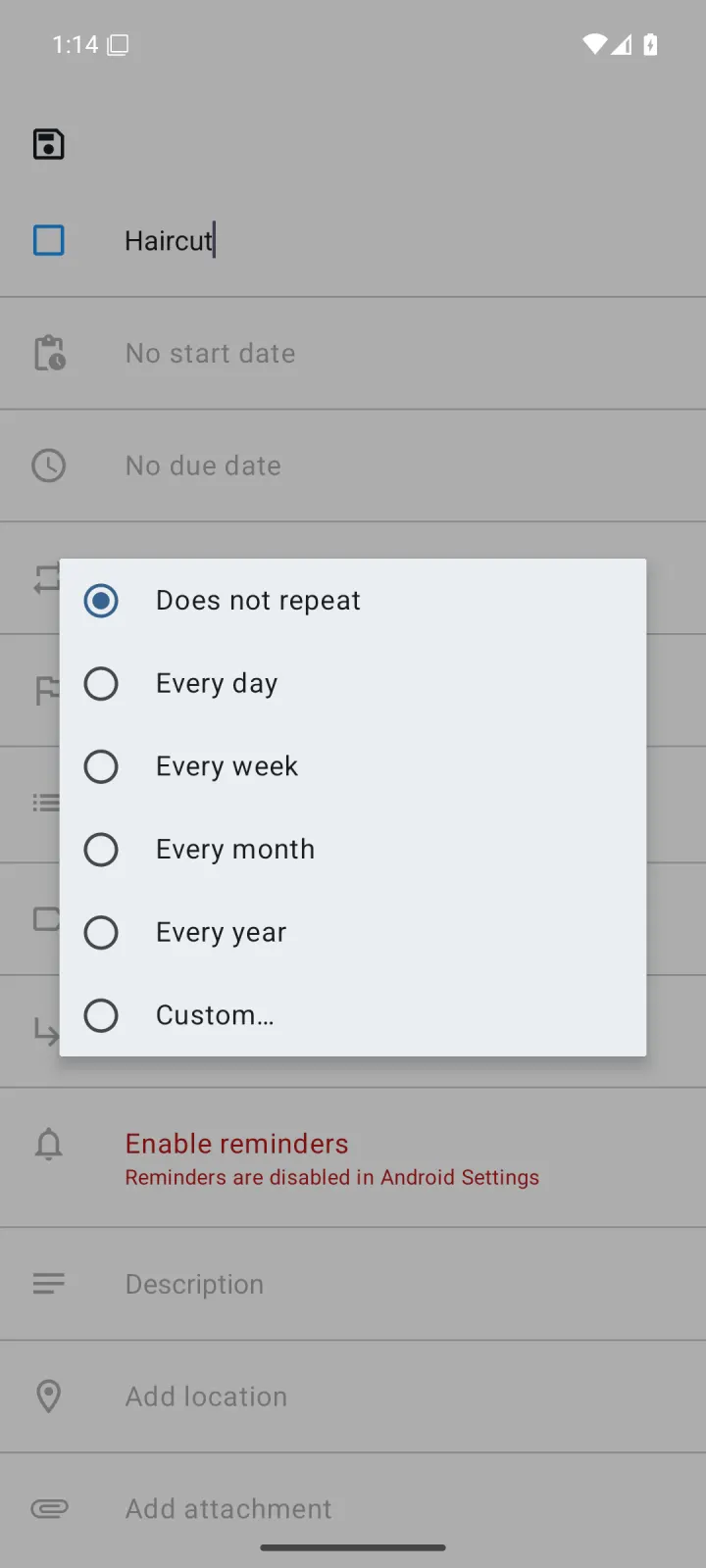
Create a task and tap Does not repeat. The presets are Every day, Every week, Every month, Every year, and Custom… at the end. Pay rent only needed Every month. For Haircut we chose Custom.
Step 2 Set the interval
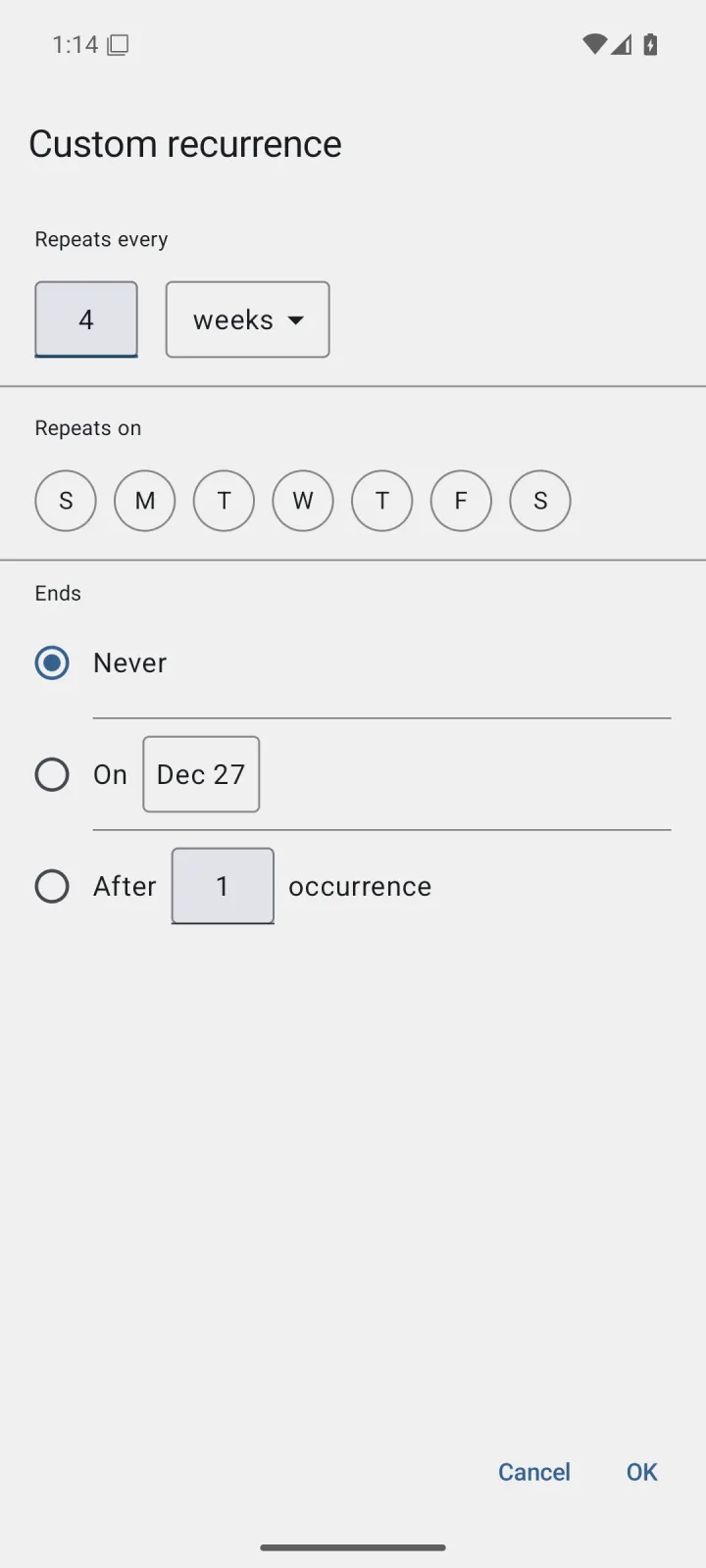
The Custom recurrence screen has Repeats every with a number and a unit, weekday bubbles under Repeats on, and Ends: Never, On a date or After a number of occurrences. We typed 4 and kept weeks, no weekday and Never.
Step 3 Switch Repeats from to completion date
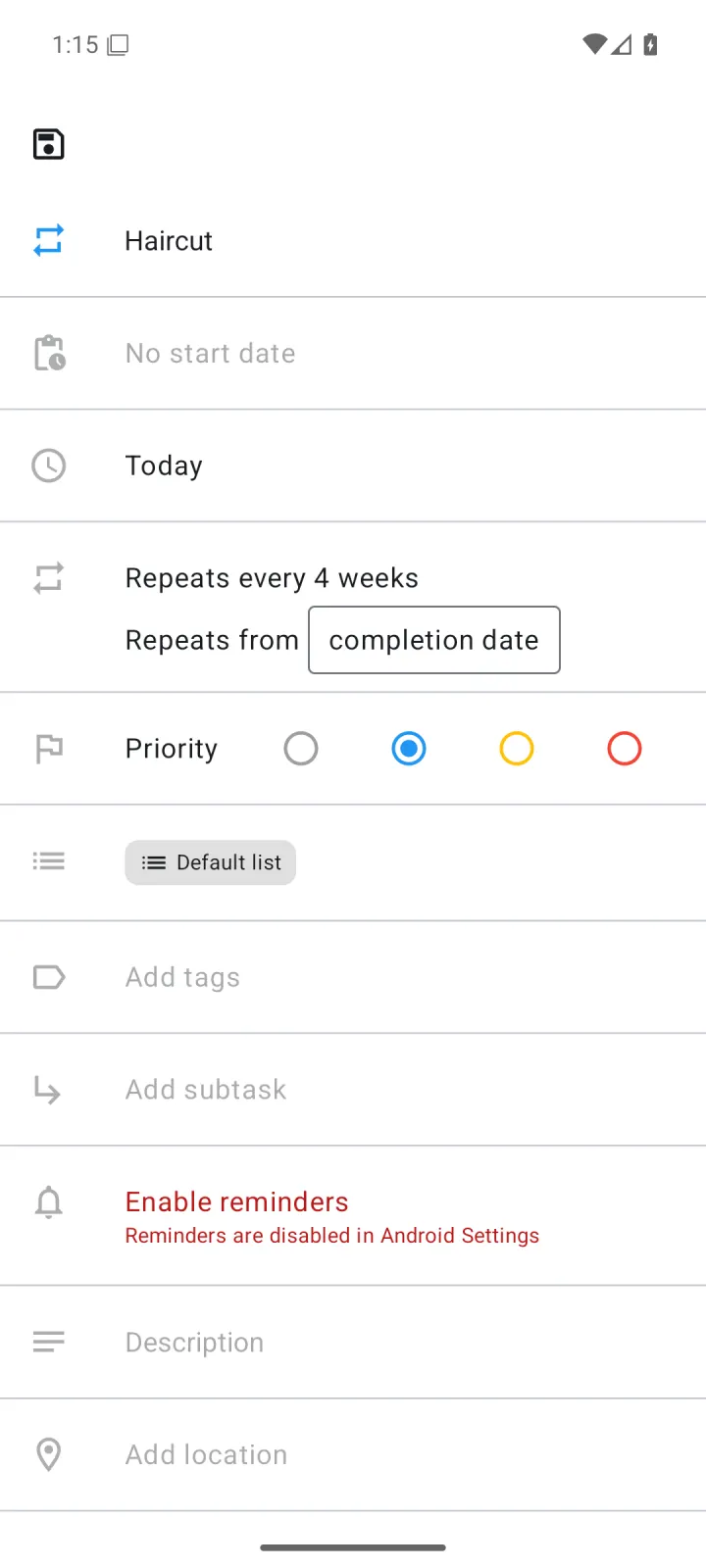
Back in the form, a new line read Repeats every 4 weeks and Repeats from due date. One tap on due date changed it to completion date. The due date row still said No due date, so we set one ourselves: the documentation says a recurring task must have a due date.
Complete them late and compare
Step 4 Find the overdue tasks
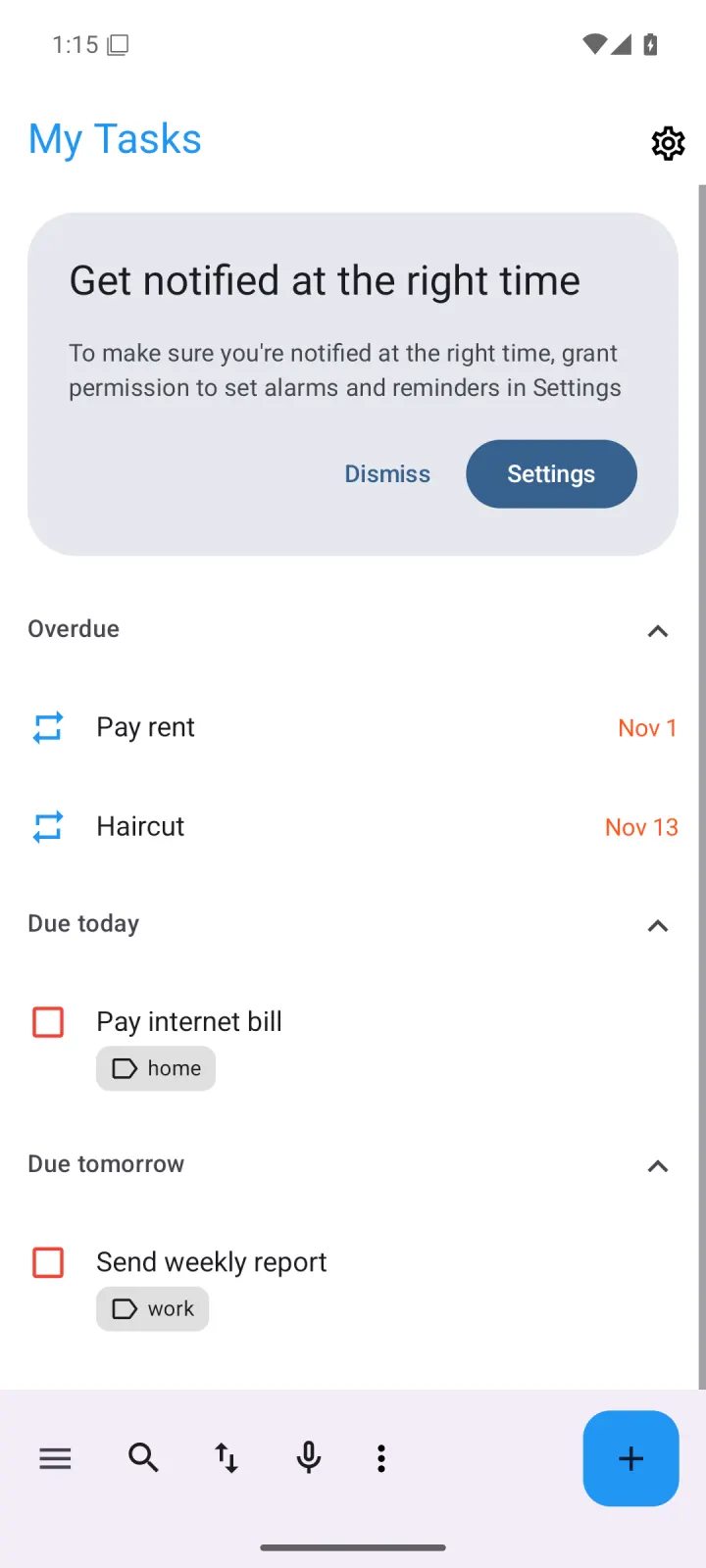
Both tasks sat under Overdue with red dates, Nov 1 and Nov 13. Repeating tasks show a repeat icon in place of the empty checkbox; tapping the icon completes them. The list also showed a banner asking for the alarms and reminders permission, which we dismissed.
Step 5 Complete Haircut
A bar at the bottom said Haircut rescheduled for December 25, with Undo. That is four weeks after we marked the haircut complete. The task did not go to a completed list: the same task got a new date.
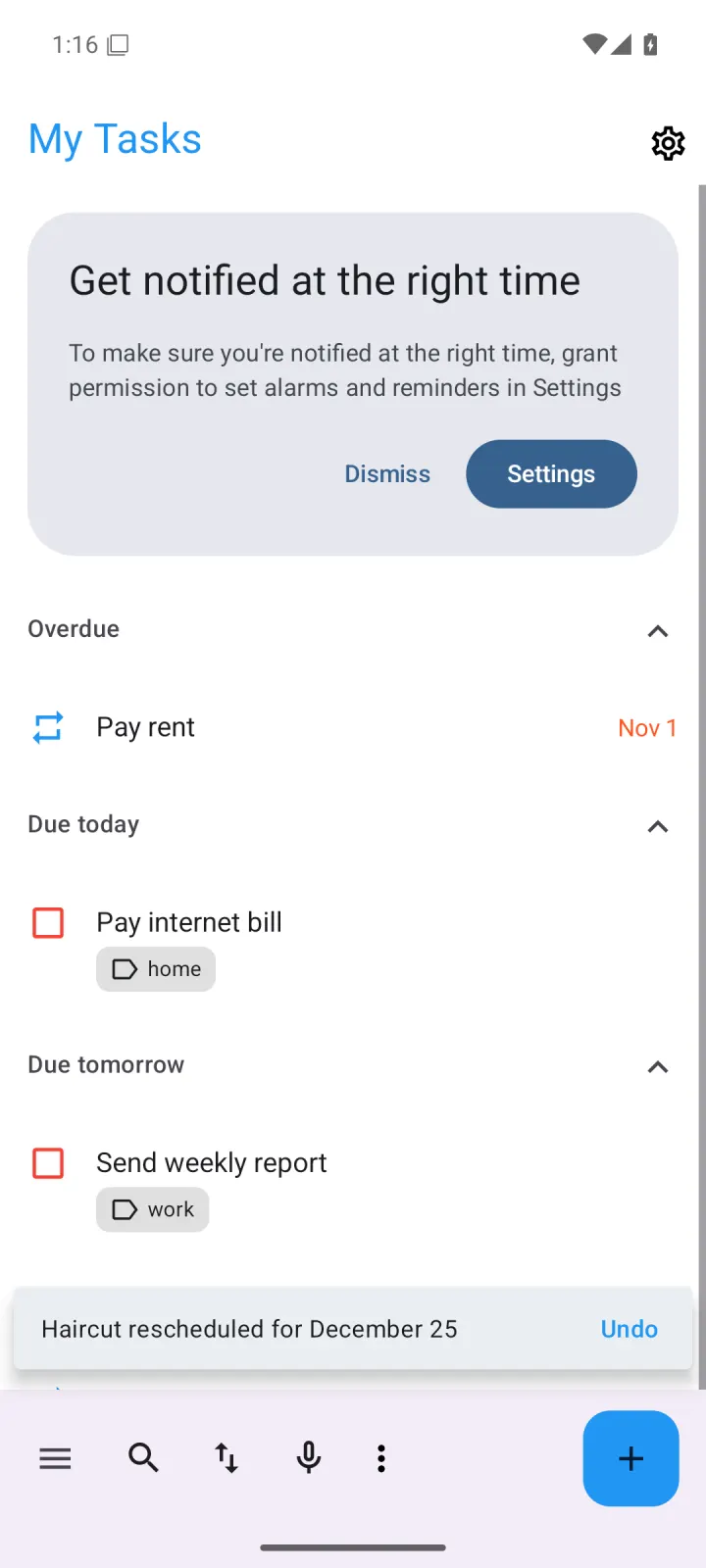
Step 6 Complete Pay rent
This time the bar said Pay rent rescheduled for Tuesday. Tuesday was 1 December, one month after the old due date, and the list grouped it under Due Tuesday.
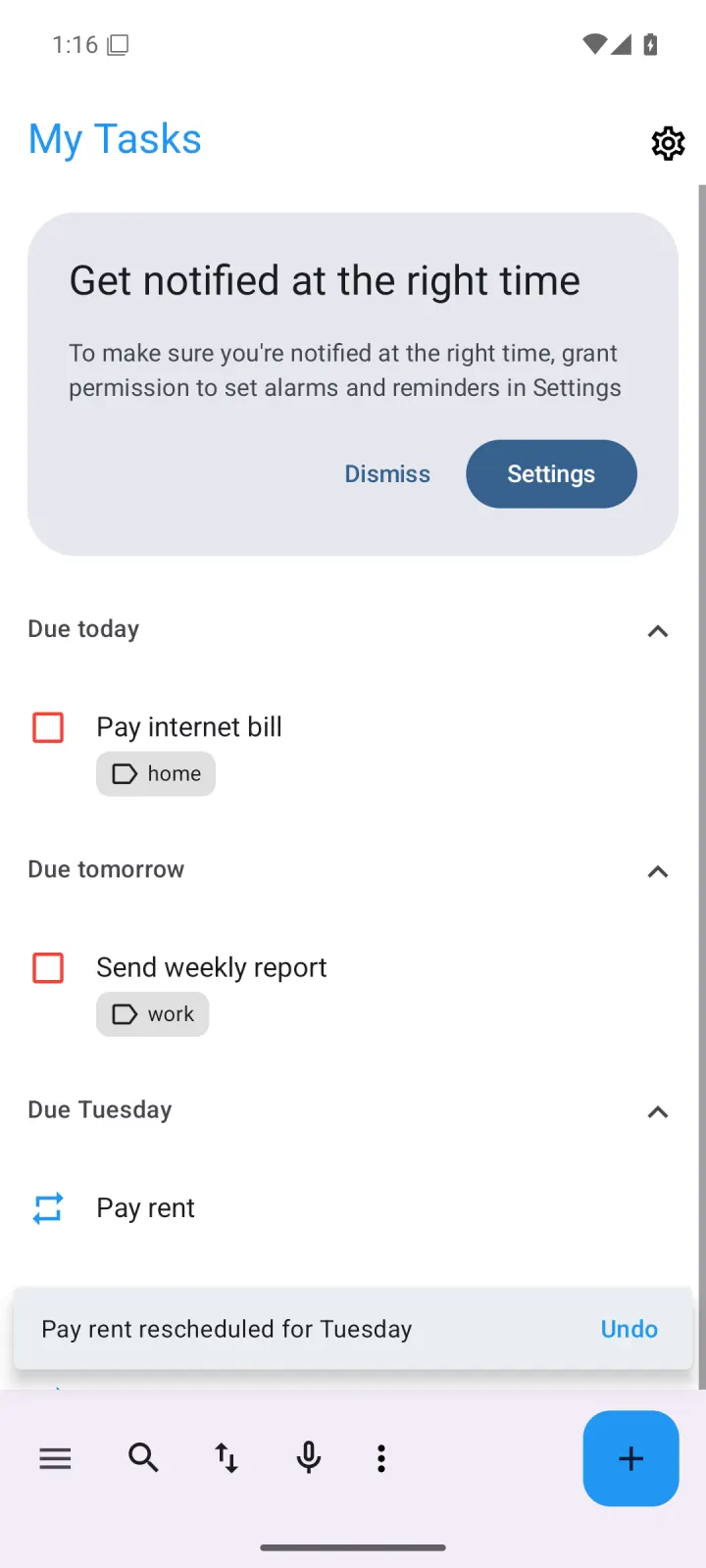
Priorities: four circles, three colors that matter
Step 7 Pick the priority in the task form
The Priority row has four circles: grey, blue, yellow and red. On our install, every new task came with the blue one already selected.
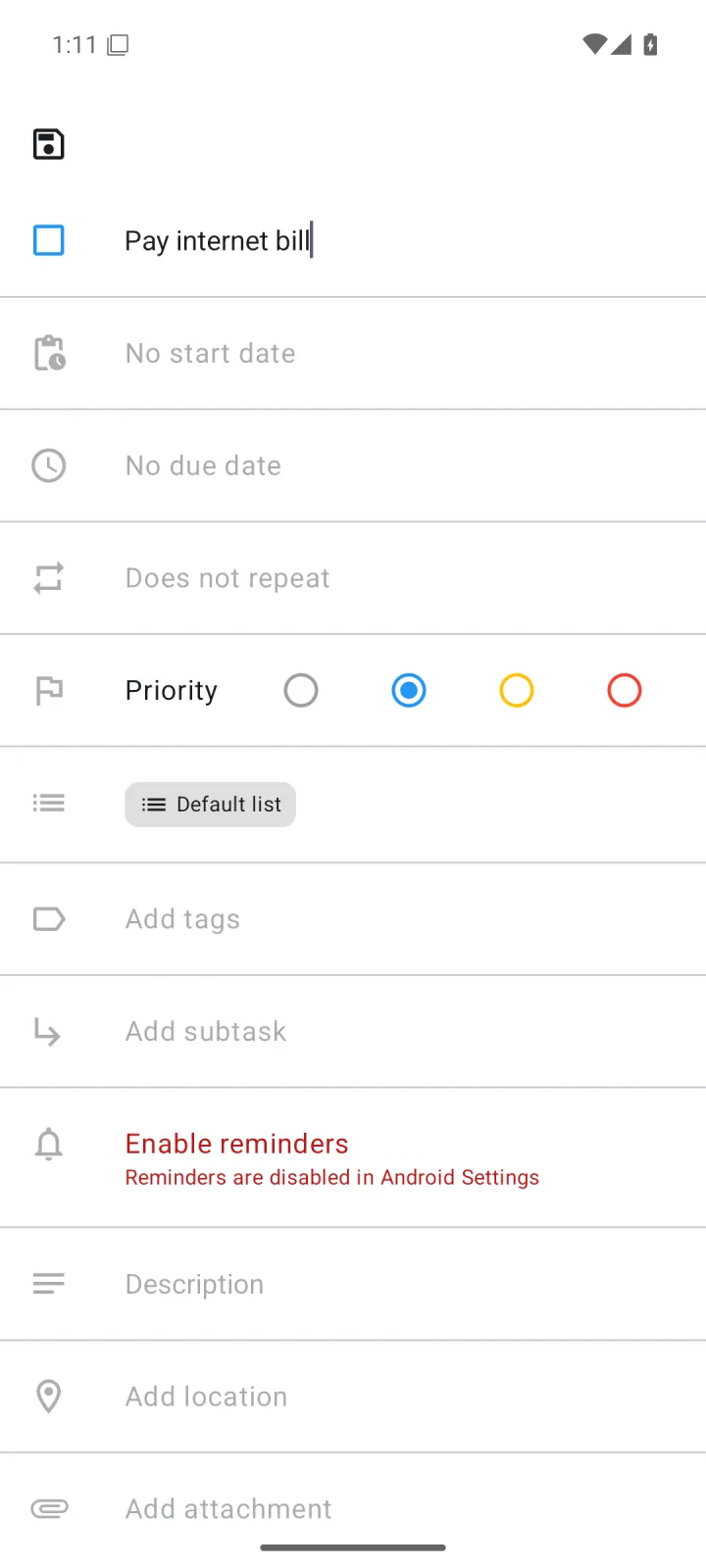
The colors map to levels in the app's source code, Task.kt (external site): high is 0, medium 1, low 2 and none 3. Our backup file stored the tasks we never touched as 2, so on this install the default was low, not none. In the filter editor, the same levels appear as !!!, !!, ! and o.
Step 8 Read the list at a glance
In the list, the checkbox takes the priority color: red for Pay internet bill and Send weekly report, yellow for Book dentist, blue for Update CV.
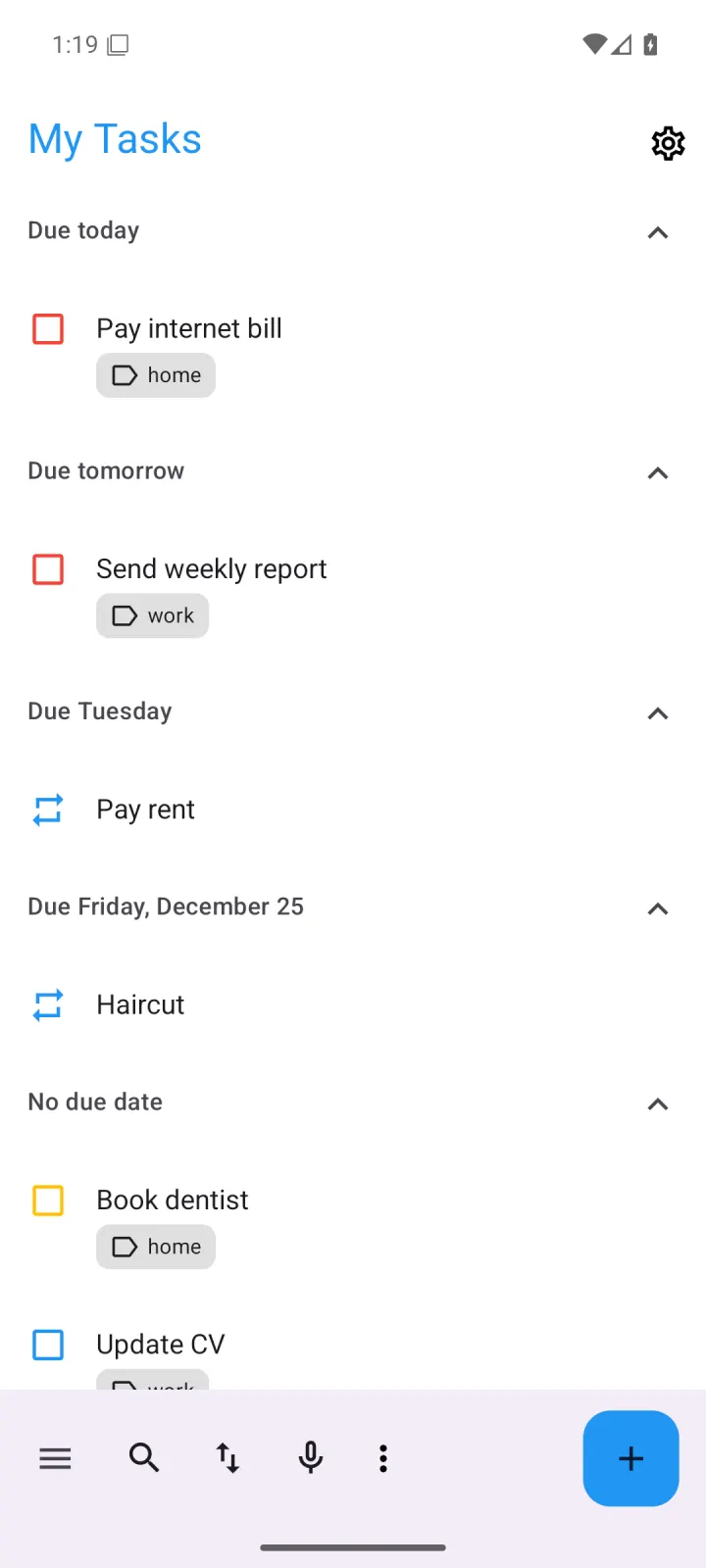
- Keep red for what has a real cost if it slips, like a bill due today.
- If every new task is blue, blue stops meaning anything. You can choose grey on purpose for tasks with no priority.
- Combine priority with dates in a filter. Our custom filter guide builds one with
!!!and a tag.
Common errors and how we fixed them
ProblemAfter we set the recurrence, the due date row still said No due date.
FixSet the due date yourself. The documentation says recurring tasks need one, and the next date is counted from it or from the completion date.
ProblemCompleting a recurring task did not move it to the completed tasks.
FixThat is how recurrence works: the task gets its next date. The bar at the bottom offers Undo for a few seconds.
ProblemPay rent jumped to the 1st, not a month after we paid.
FixIt was set to repeat from the due date. Switch Repeats from to completion date if the next one should count from the day you finish.
Sources
We checked these sources on the test date.