Independent review
Loop Habit Tracker review: what our test found
Loop Habit Tracker 2.3.2 needed no account on our Pixel 7 emulator, and its APK does not even request internet access. Reminders arrived on the minute and a full backup restored a deleted habit. The weak spots are a score that needs explaining and a backup button that assumes you have a cloud app.
- Developer
- Álinson S Xavier (open source project)
- License
- GPL-3.0
- Version tested
- 2.3.2
- APK release
- (external site)
- Emulator test
- Google Play installs
- 5M+
Task guides and troubleshooting
| Task guide | From the guide |
|---|---|
| Back up, export and restore Loop Habit Tracker, and get reminders on time on Android 16 | The share sheet offered only Quick Share, Bluetooth, Drive and Gmail. Jump to the fix |
| How to read the score, overview and charts in Loop Habit Tracker | Month and Year showed the same number as the score. Jump to the fix |
| Weekly or daily goal? How the frequency setting changes your Loop Habit Tracker score | Tapping several days quickly in the calendar editor marked only the first one. Jump to the fix |
Our verdict, criterion by criterion
| Criterion | Verdict | What we saw |
|---|---|---|
| Usability | Clear, with two hidden habits of its own | A new habit is one short form: type, name, question, frequency, reminder. Two things are not obvious. Past days are entered from Calendar and Edit, one tap plus one confirmation per day. On the main screen, a cell changes only with a long press, unless you turn on Toggle with short press in Settings. |
| Offline use | Nothing needs the network | The manifest of the 2.3.2 APK lists five permissions: notifications, exact alarms (two), start at boot and vibration. There is no internet permission. Habits, scores, exports, imports and reminders all worked on an emulator with no account. |
| Privacy | No account, data stays on the phone | The app never asked us to sign in. The Loop privacy policy (external site) says your data stays on the device and that the app has no analytics. The data safety section of the Play listing, filled in by the developer, declares no data collected and none shared. |
| Free vs paid | Free, no purchases seen | We met no ads, upgrade screen or locked feature. The code is published under GPL-3.0 on GitHub. |
| Limits found in testing | The score and the backup need care | Two habits with the same 12 check-ins scored 35% and 51% because of their frequency. The full backup goes out through the share sheet, which on our account-free emulator offered only Quick Share, Bluetooth, Drive and Gmail. The CSV export cannot be imported back. |
Limits we ran into
| # | Limit found in the test |
|---|---|
| 1 | Scores of habits with different frequencies are not comparable. In our test the same 12 check-ins gave 35% on a daily habit and 51% on a 3 times per week habit. |
| 2 | Changing the frequency of a habit recalculates its whole history, past scores included. |
| 3 | Export full backup only opens the share sheet. Without an account, our emulator offered Quick Share, Bluetooth, Drive and Gmail. |
| 4 | The automatic copies live in Android/data/org.isoron.uhabits/files, which the FAQ says Android deletes when you uninstall the app. |
| 5 | The CSV export cannot be restored: Import data answered File not recognized. |
| 6 | Deleting a habit cannot be undone, as the confirmation dialog says. Only a full backup brings it back. |
Free vs paid
Loop is free and open source under GPL-3.0, and we saw no ads, subscriptions or paid features in the test. The Loop FAQ (external site) says the project does not accept monetary donations and asks for help with feedback, bug reports and translations instead.
How we tested
We installed loop-2.3.2-release.apk from the project's GitHub release v2.3.2 (external site) on a Pixel 7 emulator running Android 16 (API 36). The file had the SHA-256 7090577c85180109b218add5faceaf29344666045df51728abbdff219acbc112, the same digest GitHub lists for it. Android reported package org.isoron.uhabits, version 2.3.2.
- Fresh install, no Google account on the emulator and no account in the app.
- Three Yes or No habits: two with an identical history of 12 check-ins entered through the calendar editor, one created for the reminder test.
- Three task flows captured step by step: frequency and score, reading the charts, and backup, restore and reminders.
- Files pulled from the emulator with adb and opened on a computer in read-only mode.
GrowShift has no affiliation with the Loop Habit Tracker project.
What a normal day in Loop looks like
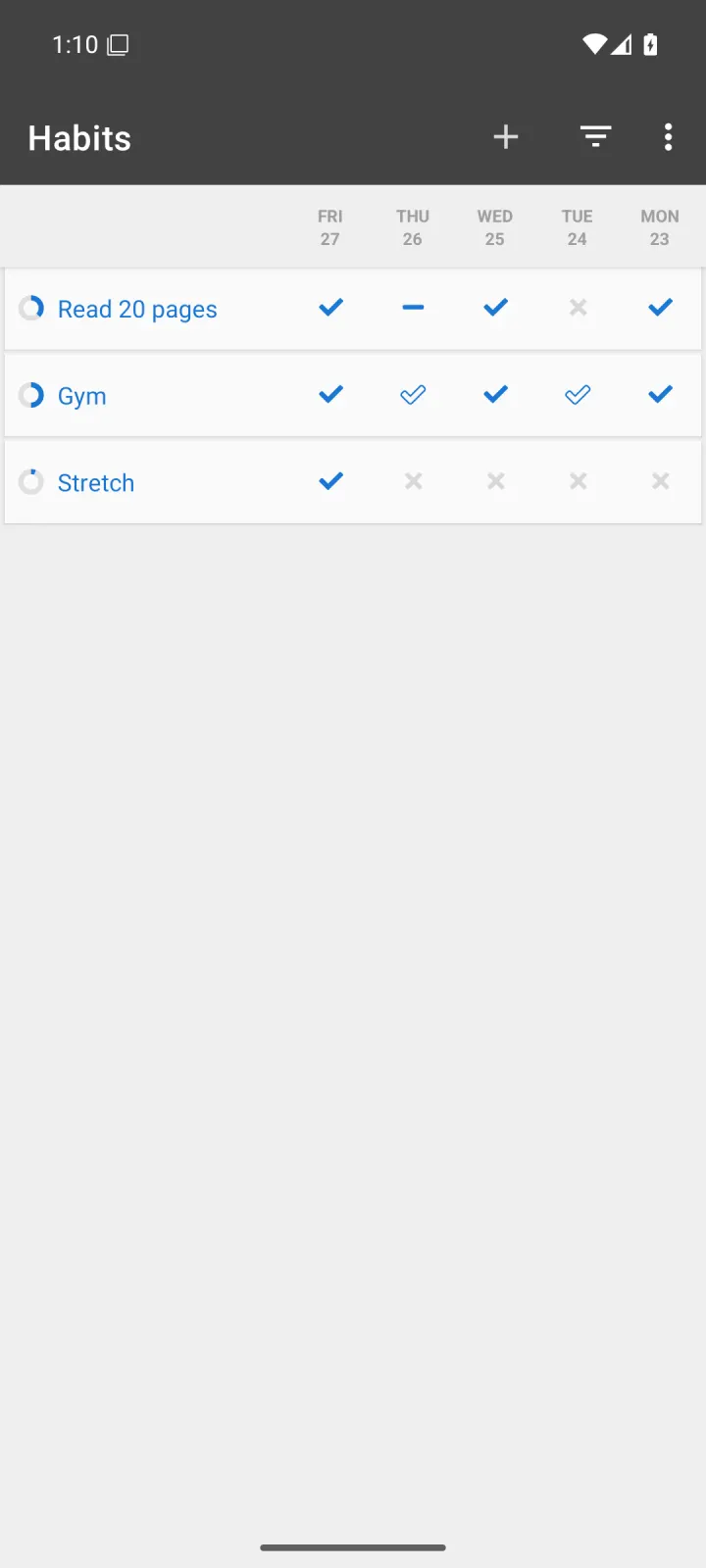
The main screen is a grid: one row per habit, the last five days as columns, and a ring at the left that fills as the score grows. A long press on a cell adds or removes a check. With skip days turned on, a second press turns the check into a dash.
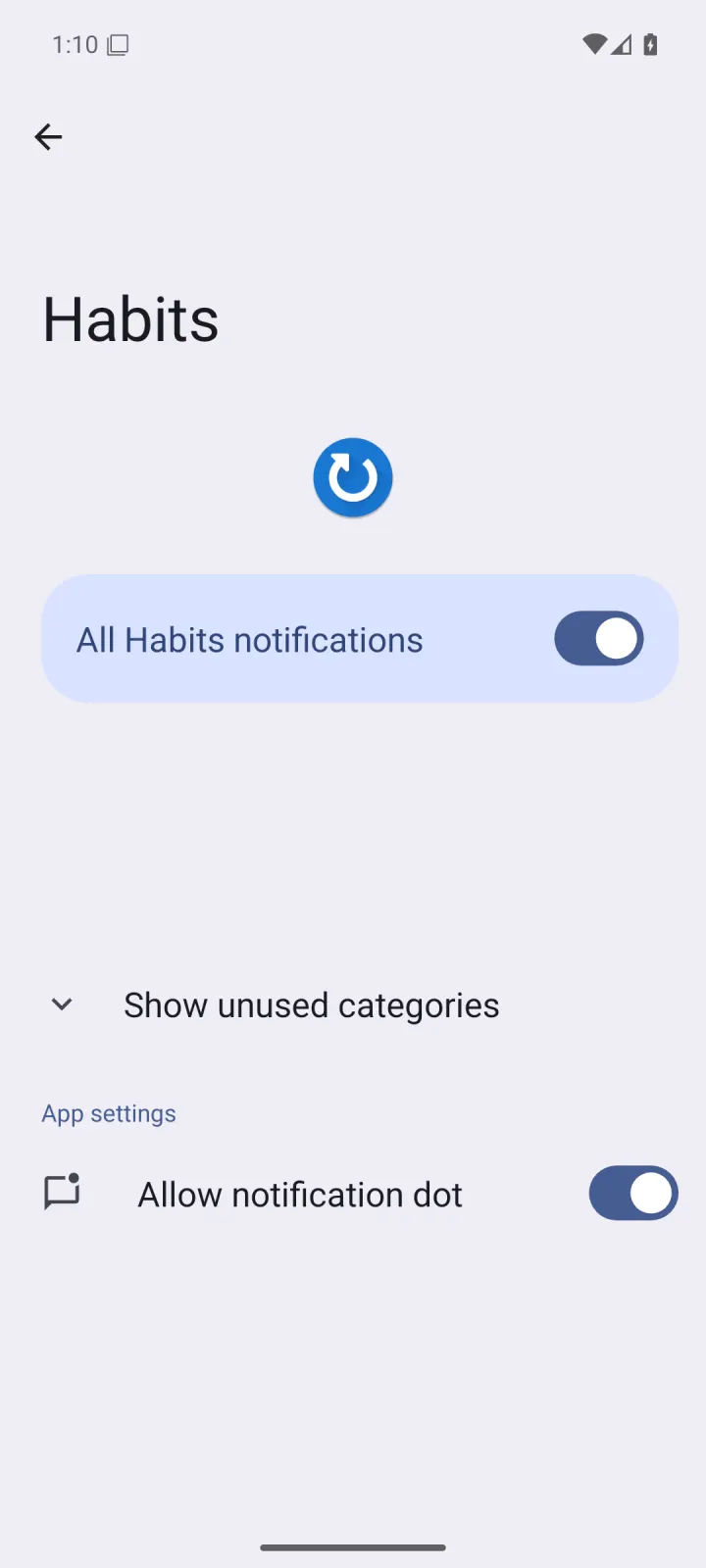
Reminders use one notification channel, called Reminder, which you can tune in Android settings like any other app.
What we did not test
- Measurable habits with numeric targets.
- Home screen widgets.
- Doze, a restricted battery setting and the battery savers that phone makers add.
- Reminders after a phone restart.
- Android's own cloud backup, and the Google Play build of the app.
Sources
We checked these sources on the test date.