Independent review
AnkiDroid review: what our test found
AnkiDroid 2.25.3 did everything we asked of it on a Pixel 7 emulator with no account and, in one check, no network: decks, daily limits, the FSRS scheduler and full backups. The price is a dense options page and manuals that lag behind the app.
- Developer
- AnkiDroid Open Source Team
- License
- GPL-3.0
- Version tested
- 2.25.3
- APK release
- (external site)
- Emulator test
- Google Play installs
- 10M+
Task guides and troubleshooting
| Task guide | From the guide |
|---|---|
| How to back up and restore your AnkiDroid collection without a sync account | Tapping the file in the picker opened an Open with sheet listing AnkiDroid and Google Wallet. Jump to the fix |
| How to build your first AnkiDroid deck and set daily limits for new cards and reviews | The options page said used by 2 decks with only one deck on screen. Jump to the fix |
| How to switch AnkiDroid to the FSRS scheduler without breaking your review queue | The FSRS switch was not at the bottom of Deck options. Jump to the fix |
Our verdict, criterion by criterion
| Criterion | Verdict | What we saw |
|---|---|---|
| Usability | Good once you know where things are | Creating a deck and adding 12 notes took a few taps each, and the editor kept our deck selected between notes. Deck options is one long page with eleven sections, the same ones the deck options chapter of the Anki manual describes. Two things slowed us down: the deck menu only opens with a long press, and the preset line said used by 2 decks while only one deck was visible. |
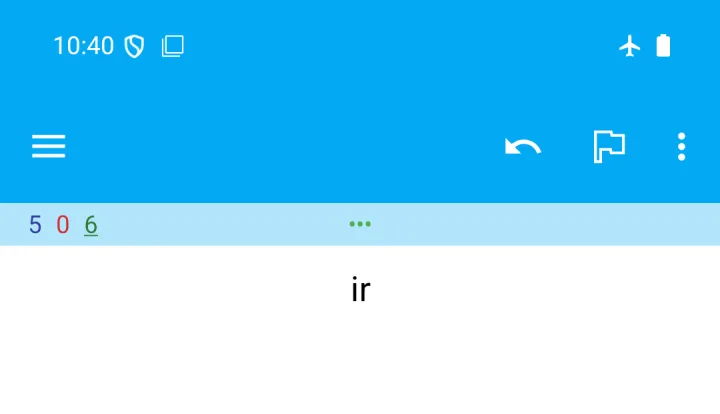
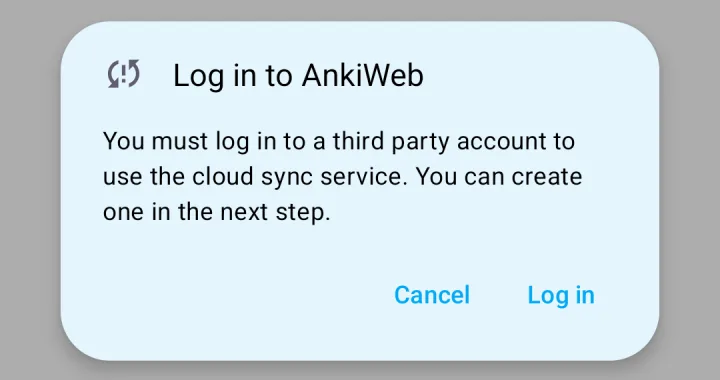
| Offline use | Works fully offline | With airplane mode on, we reopened the app, answered a card and created a backup without any error. Only the sync button needed the network and an account: it opened a Log in to AnkiWeb prompt. |
| Privacy | No account required | The first screen offered Get started next to Sync from AnkiWeb, and we finished the whole test without signing in. The GitHub build asked for All files access to keep the collection in a shared folder that survives an uninstall. The data safety section of the Play listing, filled in by the developer, says the app may collect and share some data types, including personal info and photos and videos. We did not inspect network traffic. |
| Free vs paid | Free, no purchases seen | We saw no ads, paywall or purchase prompt during the test. The official Anki apps page describes AnkiDroid as free and funded by donations, and AnkiWeb sync as a free service. |
| Limits found in testing | A few, mostly in the documentation | The FSRS optimizer refused to run on a new collection with No reviews found. Automatic backups skip images and audio and stay on the device. The manuals lag behind 2.25.3: the AnkiDroid manual describes a backup every 5 hours, and the Anki manual places the FSRS switch at the bottom of Deck options. |
Limits we ran into
| # | Limit found in the test |
|---|---|
| 1 | The FSRS optimizer needs review history. On our new collection it returned No reviews found. |
| 2 | Automatic backups leave out images and audio and stay on the same device, as the app's Backups screen says. |
| 3 | Delete deck runs without a confirmation dialog. Only a short Undo bar protects you. |
| 4 | APKs from GitHub do not update themselves, per the release notes, and the Play build does not get All files access. |
| 5 | Sync needs an AnkiWeb account. The AnkiDroid manual says the project is not affiliated with AnkiWeb. |
Free vs paid
AnkiDroid costs nothing on Android, and we met no ads, subscriptions or locked features in the test. The official Anki apps page (external site) says AnkiDroid is free, developed by contributors and funded by donations, while the official iOS app, AnkiMobile, is sold to fund Anki's development. The same page calls AnkiWeb sync free; we did not create an account to check it.
How we tested
We installed AnkiDroid 2.25.3 from the project's GitHub releases (external site) on a Pixel 7 emulator running Android 16 (API 36). The x86_64 APK had the SHA-256 154101f06f4ba286248fa4a26863f759d3a1631bd4b1d6790503ec35a85edac7, the same digest GitHub lists for the file.
- Fresh install, no AnkiWeb account and no Google account on the emulator.
- A test deck of 12 Basic notes typed in by hand.
- Three task flows captured step by step: first deck and daily limits, the FSRS switch, and backup and restore.
- One offline check with airplane mode on.
- A second collection with a PNG and a WAV on one card. We restored a full export into an empty Android profile and verified both file checksums.
GrowShift has no affiliation with the AnkiDroid project, Anki or AnkiWeb.
Offline and without an account
With airplane mode on, we closed and reopened the app, answered a card and made a backup. Everything worked. The only feature that asked for anything was sync.
What we did not test
- AnkiWeb sync and syncing with Anki on a computer.
- The Google Play build, which handles storage differently.
- The FSRS optimizer on a real review history, and collections with thousands of cards.
- Shared decks, widgets and text-to-speech.
Sources
We checked these sources on the test date.
- AnkiDroid 2.25.3 release (GitHub) (external site)
- AnkiDroid on Google Play (external site)
- Anki official apps page (external site)
- AnkiDroid User Manual (external site)
- Anki Manual: Deck Options (external site)
- AnkiDroid license (GPL-3.0, COPYING) (external site)
- AnkiDroid changelog, version 2.25.3 (external site)