Independent review
Standard Notes review: what our test found
Standard Notes 3.203.3 worked without an account and without a network on a Pixel 7 emulator. A passcode turned on a lock screen and encrypted backups, and both backup types landed in Downloads in one tap. Attachments and several layout options sit behind a paid plan.
- Developer
- Standard Notes
- License
- AGPL-3.0
- Version tested
- 3.203.3
- APK release
- (external site)
- Emulator test
- Google Play installs
- 500K+
Task guides and troubleshooting
| Task guide | From the guide |
|---|---|
| Use Standard Notes without an account: offline notes, encryption and a passcode lock | The two passcodes you entered do not match. Jump to the fix |
| Organize Standard Notes with tags and export an encrypted or plain backup | A two-word search returned 0 search results. Jump to the fix |
| Joplin vs. Standard Notes for offline notes on Android | Standard Notes said Encryption is not enabled on a fresh install. Jump to the fix |
Our verdict, criterion by criterion
| Criterion | Verdict | What we saw |
|---|---|---|
| Usability | Simple editor, fiddly menus | New notes open in a plain text editor with the date as the title. Tags, search and backups each took a few taps. Menus open as sheets over each other, and the same top-right button means Display options in the note list but Note options inside a note, which sent us to the wrong sheet more than once. |
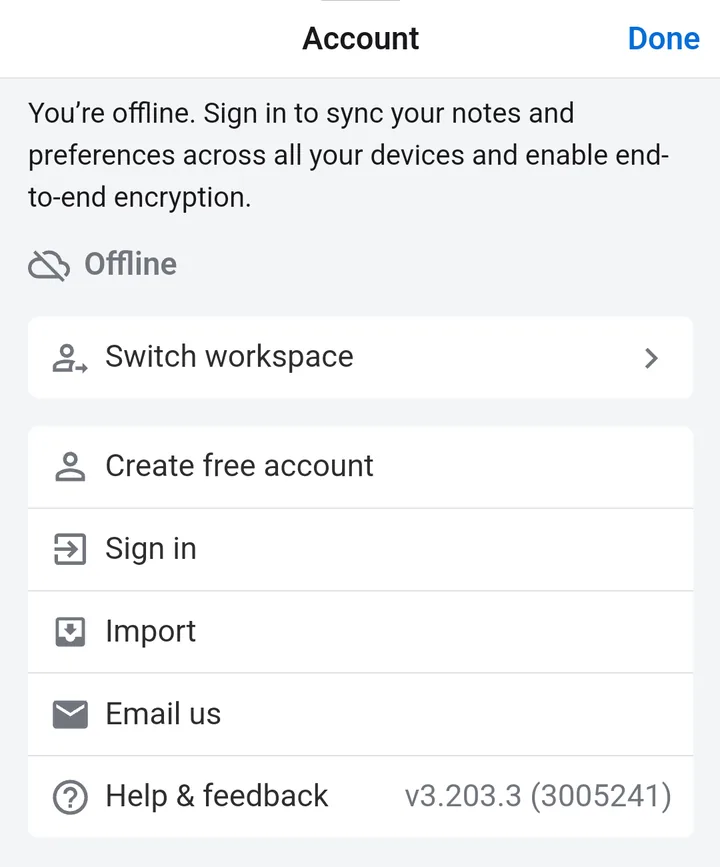
| Offline use | Works fully offline | With airplane mode on, the passcode screen, the notes, the encrypted backup and the decrypted backup all worked. The first screen already called the app Offline before any network test. |
| Privacy | No account needed, passcode recommended | The app asked for notification permission at launch, which we refused, and never asked for storage or camera access. Without an account, the Security page said encryption was not enabled until we signed in or added a passcode. The data safety section of the Play listing, filled in by the developer, says no data is shared with third parties and that the app may collect personal info. We did not inspect network traffic. |
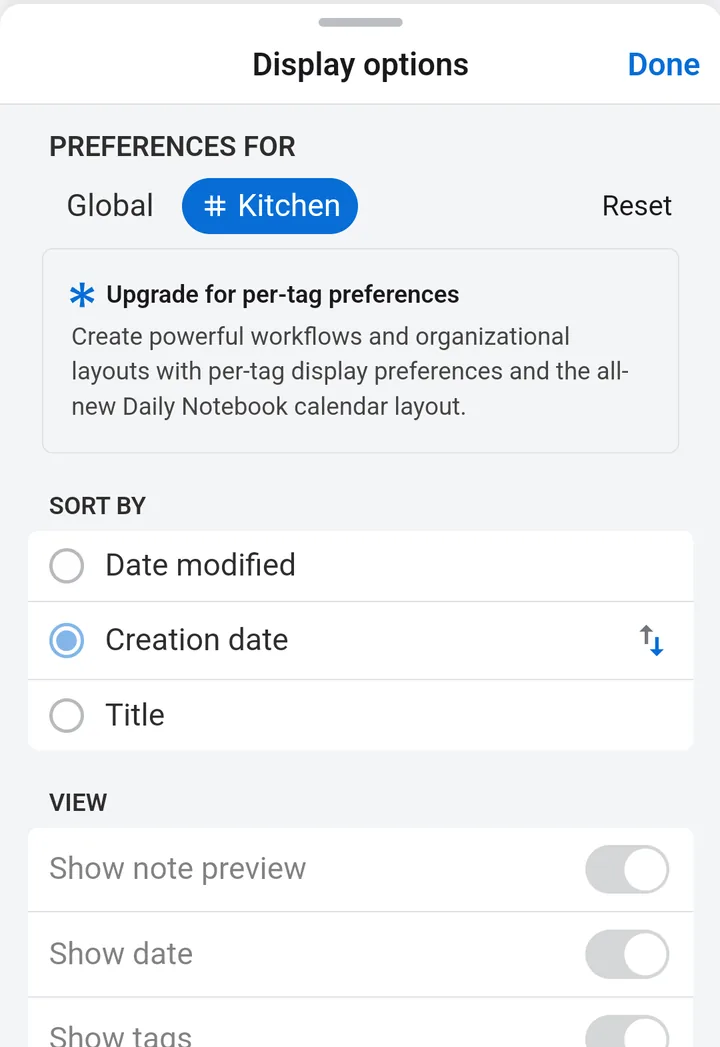
| Free vs paid | Core free, extras paid | Notes, tags, search, the passcode and backups worked on the free tier. File attachments showed Enable Advanced Features with an upgrade message, and Display options showed Upgrade for per-tag preferences. |
| Limits found in testing | Clear ones | No file attachments without a plan. No automatic backups on the phone: the Backups page sends you to the desktop app for that. Note history showed No remote history found without an account. Search found text inside words, but garlic jars returned nothing although one note had both words apart. |
Limits we ran into
| # | Limit found in the test |
|---|---|
| 1 | File attachments need a paid plan. The Files view showed Enable Advanced Features with an upgrade message. |
| 2 | Automatic backups are desktop only. On Android you download each backup by hand. |
| 3 | Without an account and without a passcode, the help center says the device database is not encrypted. |
| 4 | Two-word searches behaved like a phrase in our test: garlic jars returned 0 results although Tomato sauce has both words. |
| 5 | The default editor is plain text. Markdown signs stay visible, and lists do not continue on Enter. |
Free vs paid
The app is free to install and the core features we tested did not ask for payment. The plans page (external site) lists a Free tier with end-to-end encryption, offline access and full data export, and two paid plans, Productivity and Professional; Professional adds encrypted file storage. The page did not show prices to our test browser, so we do not quote them. In the app, the paid features we met were file attachments and per-tag display preferences.
How we tested
We installed Standard Notes 3.203.3 on a Pixel 7 emulator running Android 16 (API 36). The APK is the one linked from the Standard Notes download page (external site). Its SHA-256 was aaea0bfe179ed595eff91f46d8ac0d87eef5209858ea73ae3548ad5efd8f36dc, the same digest GitHub lists for the 3.203.3 mobile release (external site).
- Fresh install, no Standard Notes account and no Google account on the emulator.
- Four notes with the same text we used in our Joplin test, two tags, and four searches.
- A passcode, a restart with airplane mode on, and one encrypted and one decrypted backup.
- A check of the Files view and of Note history without an account.
GrowShift has no affiliation with Standard Notes.
First launch
After the notification prompt, the app opened an Account sheet that said You're offline and offered Create free account, Sign in and Import. Closing it with Done left an empty note list and a Data not backed up card. Nothing forced a sign-in.
What we did not test
- Creating an account, sync between devices and two-factor authentication.
- Paid plans, file attachments and the extra editors.
- Importing a backup back into the app.
- Biometric unlock, the screenshot privacy option and per-note Password protect.
- The Trash: we did not test moving a note to the Trash or restoring it.
Sources
We checked these sources on the test date.
- Standard Notes mobile 3.203.3 release (GitHub) (external site)
- Standard Notes download page (external site)
- Standard Notes on Google Play (external site)
- Standard Notes plans (external site)
- Standard Notes license (LICENSE, GNU AGPL v3) (external site)
- Standard Notes help: Can I use Standard Notes totally offline? (external site)
- Standard Notes help: How does Standard Notes encrypt data on my device? (external site)