Comparison · Joplin vs Standard Notes
Joplin vs. Standard Notes for offline notes on Android
We tested both apps on the same emulator on the same day, with no account and the same notes. Joplin gave us notebooks, free attachments and a local sync folder. Standard Notes gave us a passcode lock and one-tap backups. Here is where each one fits.
Test record
- App
- Joplin 3.7.12 and Standard Notes 3.203.3
- Device
- Pixel 7 emulator, Android 16 (API 36)
- Tested
- APK source
- official release page (external site)
- Conditions
- Official APKs, each with the same SHA-256 as its GitHub release: Joplin 3.7.12 (external site) and Standard Notes 3.203.3. No account in either app. The same garden and kitchen notes typed into both. Airplane mode on for the offline checks.
The comparison at a glance
Everything in this table comes from our own two tests, except where a row says it comes from the developer. Each app also has a full review: Joplin and Standard Notes.
| Joplin 3.7.12 | Standard Notes 3.203.3 | |
|---|---|---|
| Account needed | No; no sign-in screen at all | No; an Account sheet at launch closes with Done |
| Filing | Notebooks, sub-notebooks and tags | Tags and built-in views |
| Default editor | Markdown, formatted while you type | Plain text |
| Search inside words | No (omat found nothing) | Yes (omat found two notes) |
| Two-word search | Both words anywhere (garlic jars found 1) | Behaved like a phrase (garlic jars found 0) |
| Image and PDF attachments | Free, opened offline | Paid plan required |
| App lock | Biometrics (Beta) option, not tested | Passcode, tested offline |
| One-file export | JEX through the share sheet | Encrypted .txt or decrypted .zip straight to Downloads |
| Automatic copy on the phone | File system sync to a folder | None on mobile; desktop only |
| Android backup flag | Not set (allowBackup off) | Set (ALLOW_BACKUP) |
| Play data safety, per developer | No data collected or shared | No data shared; may collect personal info |
| License | AGPL-3.0-or-later | AGPL-3.0 |
Finding a note: two opposite search rules
We ran the same queries on the same text. The two apps disagree on both kinds of partial input, and neither is wrong. They suit different memories.
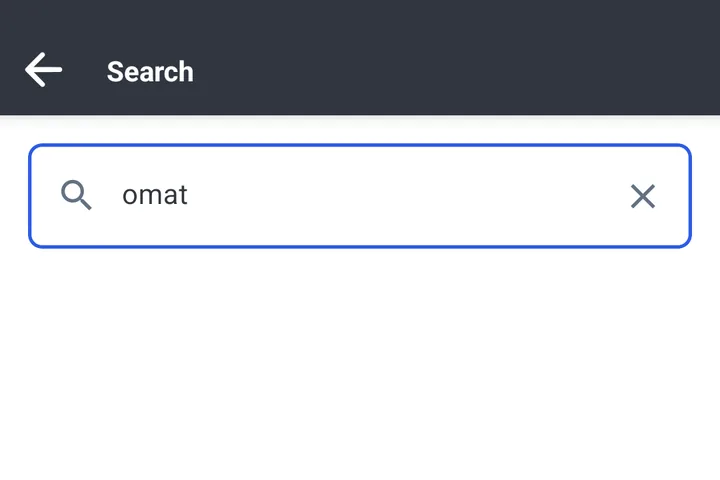
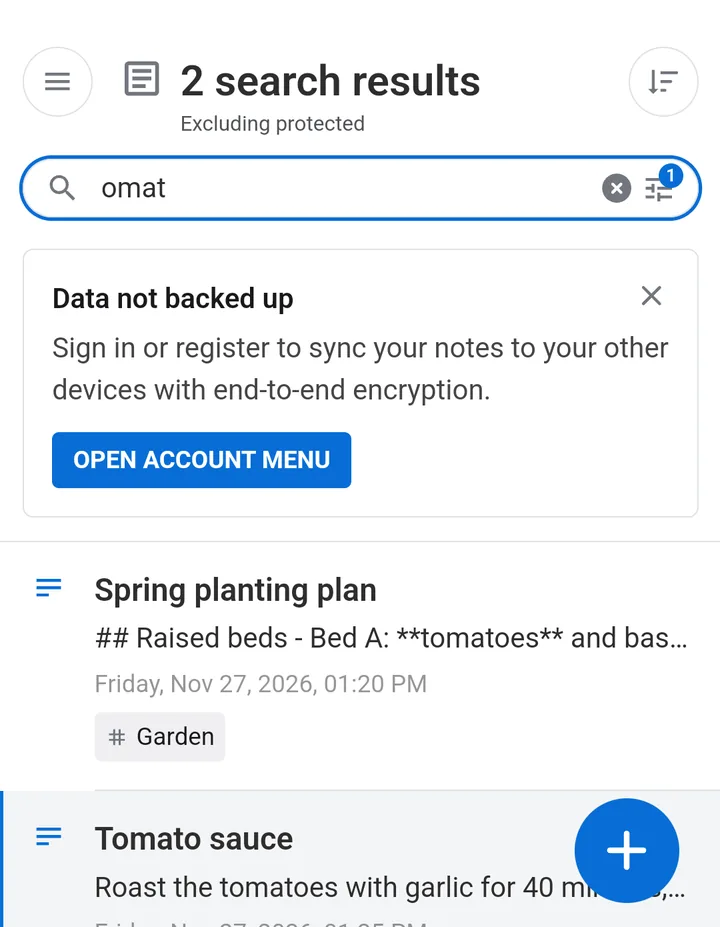
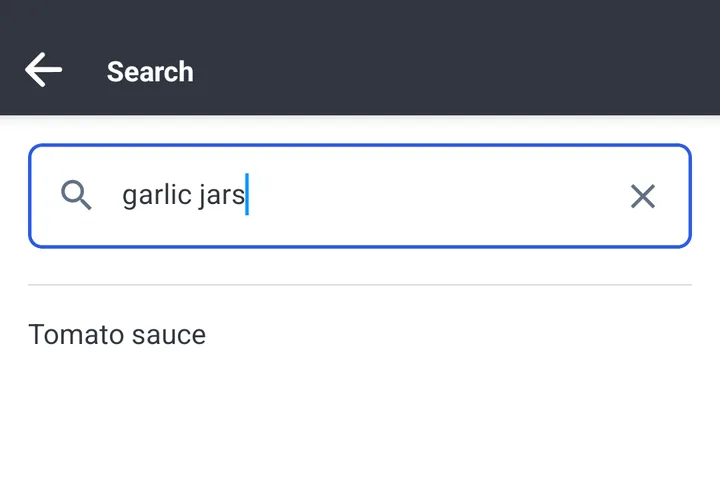
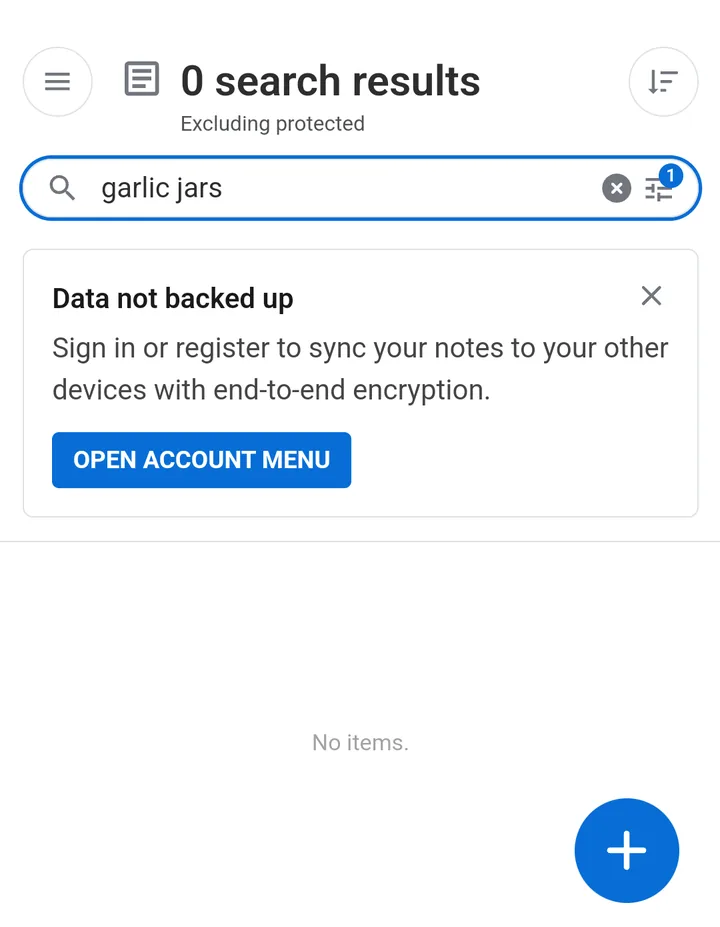
Joplin also takes filters such as notebook:garden, tag:spring and -tag:spring, which worked in our test. In Standard Notes we narrowed results by opening a tag first. If you remember fragments of words, Standard Notes is easier. If you remember a few separate keywords, Joplin is.
Protecting notes on the phone
This is where Standard Notes leads. Its Security page told us, without an account, that encryption was not enabled until we added a passcode. After Add passcode, every restart showed a lock screen, offline too, and exporting a backup asked for the passcode again. The Standard Notes help center (external site) says a passcode encrypts the device database with keys that are never written to disk.
Joplin's General settings had Use biometrics to secure access to the app (Beta), off by default and marked as not compatible with some devices. We left it off. Its synced files were plain text, because we had not set up its encryption under ENCRYPTION CONFIG.
Getting your notes off the phone
Both apps exported with airplane mode on, but the result was different. Standard Notes wrote a 14 KB encrypted file and a 3.7 KB decrypted zip directly into Downloads; the zip had one plain text file per note. Joplin made a JEX file and handed it to the Android share sheet, which on our emulator listed only Quick Share, Joplin, Drive and Gmail.
For a copy that keeps itself current, Joplin wins. Its File system sync target wrote 28 items into a folder we chose in Documents, attachments included, without any account. Standard Notes keeps automatic backups for its desktop app.
One more difference sits below the apps. Joplin's package has no ALLOW_BACKUP flag, while Standard Notes has it. The Android documentation (external site) says an app with allowBackup set to false is left out of cloud backups and device-to-device transfers. We did not test a phone transfer with either app.
Files and images
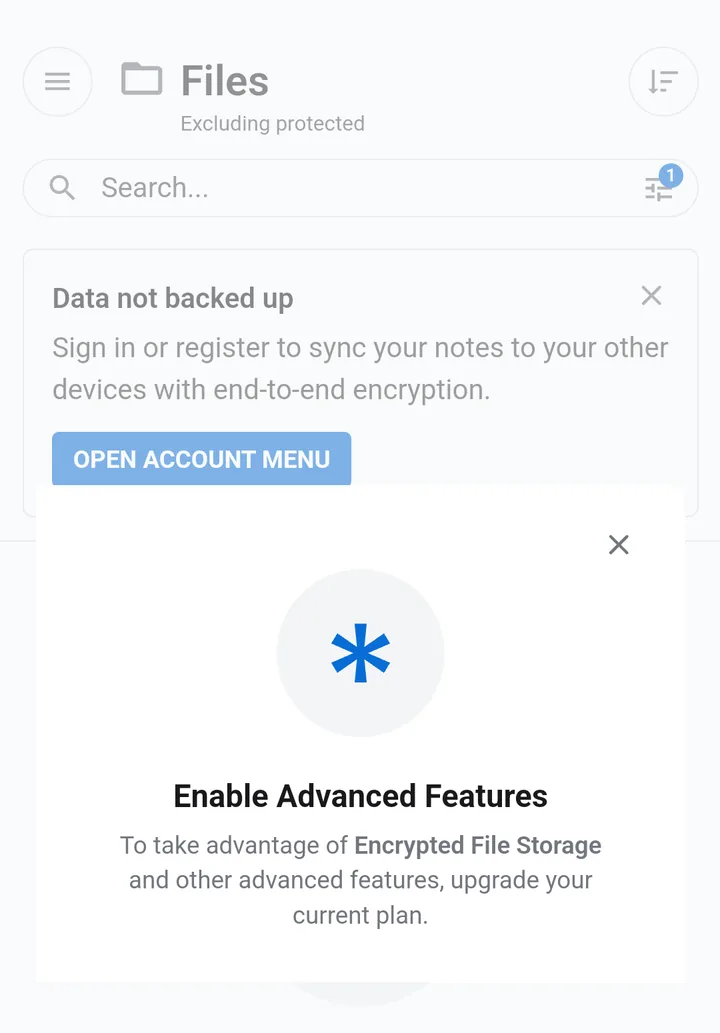
Joplin attached a PNG and a PDF from Downloads through the Android picker, showed the image inside the note and opened the PDF in a viewer, all offline and free. In Standard Notes, the Files view showed Enable Advanced Features and asked us to upgrade for encrypted file storage.
Which one to install
- Pick Joplin for a large, structured collection with notebooks, Markdown, photos and PDFs, and for an automatic copy in a folder you control.
- Pick Standard Notes for short private notes behind a passcode, with a backup you can make in a few taps and read later as plain text files.
- Either one works with no account and no network. Neither keeps a copy off the phone for you unless you sync or move the backup yourself.
Common errors and how we fixed them
ProblemStandard Notes said Encryption is not enabled on a fresh install.
FixAdd a passcode under Preferences, Security. The Passcode lock card then reads Passcode lock is enabled.
ProblemJoplin's JEX export had nowhere to go on our emulator.
FixUse Quick Share to another device, or set up the File system sync folder for a local copy.
ProblemA search that works in one app fails in the other.
FixIn Joplin, type the start of a word or add a filter. In Standard Notes, type one fragment, not several words.
Sources
We checked these sources on the test date.
- Joplin help: Searching (external site)
- Standard Notes help: How does Standard Notes encrypt data on my device? (external site)
- Android Developers: application element, android:allowBackup (external site)
- Joplin on Google Play (external site)
- Standard Notes on Google Play (external site)
- Joplin Android 3.7.12 release (GitHub) (external site)
- Standard Notes mobile 3.203.3 release (GitHub) (external site)