Tutorial · Loop Habit Tracker
Weekly or daily goal? How the frequency setting changes your Loop Habit Tracker score
We gave two Loop habits the same 12 check-ins, three a week for four weeks. The habit set to Every day scored 35%. The habit set to 3 times per week scored 51%. Here is how to set the frequency, and why it moves the score so much.
Test record
- App
- Loop Habit Tracker 2.3.2 (GitHub release APK)
- Device
- Pixel 7 emulator, Android 16 (API 36)
- Tested
- APK source
- official release page (external site)
- Conditions
- Fresh install with no account. Two Yes or No habits with an identical history: a check-in every Monday, Wednesday and Friday over four weeks, 12 in total, entered through the calendar editor. Scores read in the app and in the CSV export after the last check-in.
Same check-ins, different score
Loop Habit Tracker does not judge a habit by streaks alone. Each habit has a score that rises when you check in and falls on days that count as a miss. What counts as a miss depends on the frequency you choose when you create the habit, so the same effort can look strong or weak.
To measure the effect, we created two habits in Loop 2.3.2 and gave them the same history. Then we changed the frequency of one of them and read the score again.
| Habit | Frequency | Check-ins | Score at export |
|---|---|---|---|
| Read 20 pages | Every day | 12 | 35% |
| Gym | 3 times per week | 12 | 51% |
| Gym, after we edited it | Every day | 12 | 35% |
The last row is the same Gym habit with only the frequency changed. Its score fell to exactly the score of the daily habit.
Create a habit with the right frequency
Step 1 Choose Yes or No
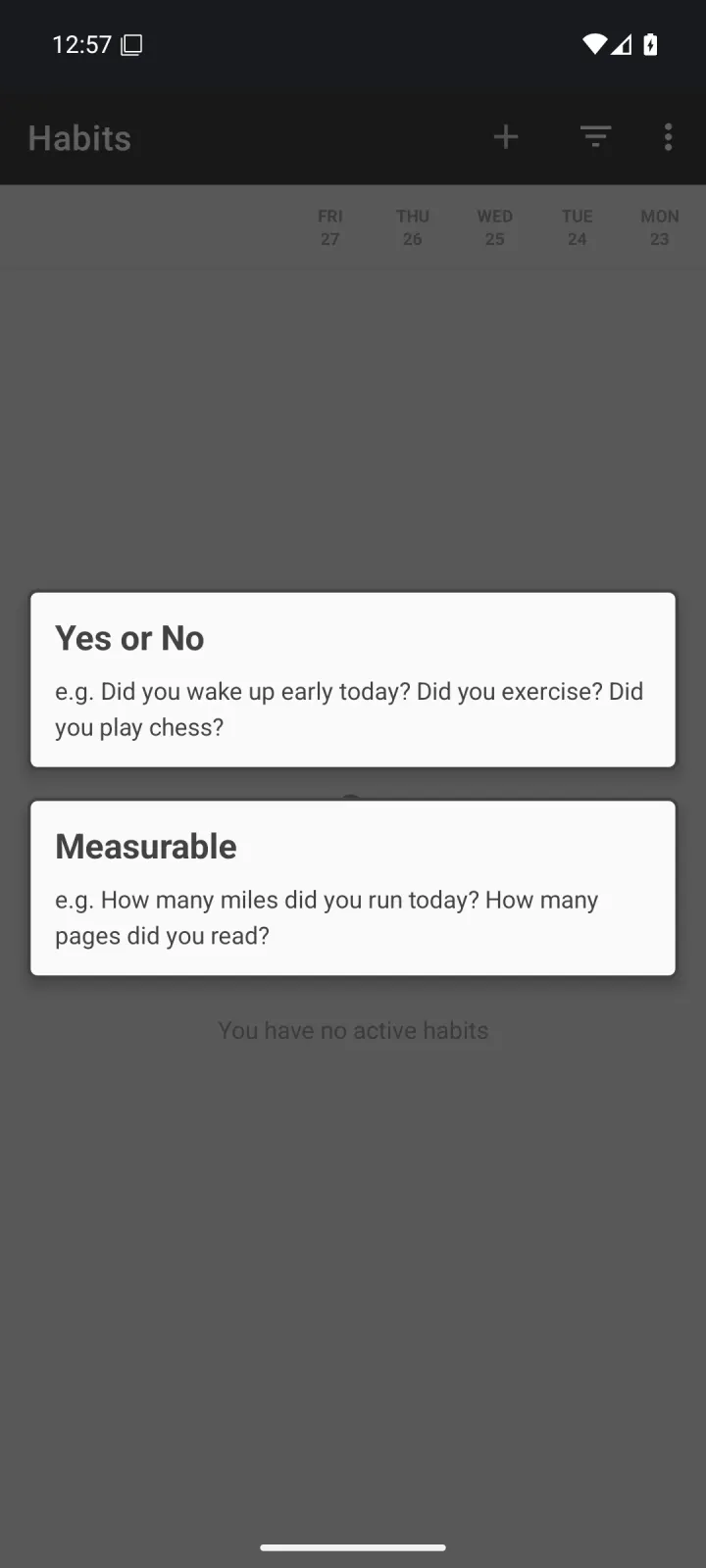
Tap + on the main screen. Loop first asks for the type: Yes or No for things you did or did not do, Measurable for numbers such as pages or miles. Both of our habits were Yes or No.
Step 2 Open the Frequency field
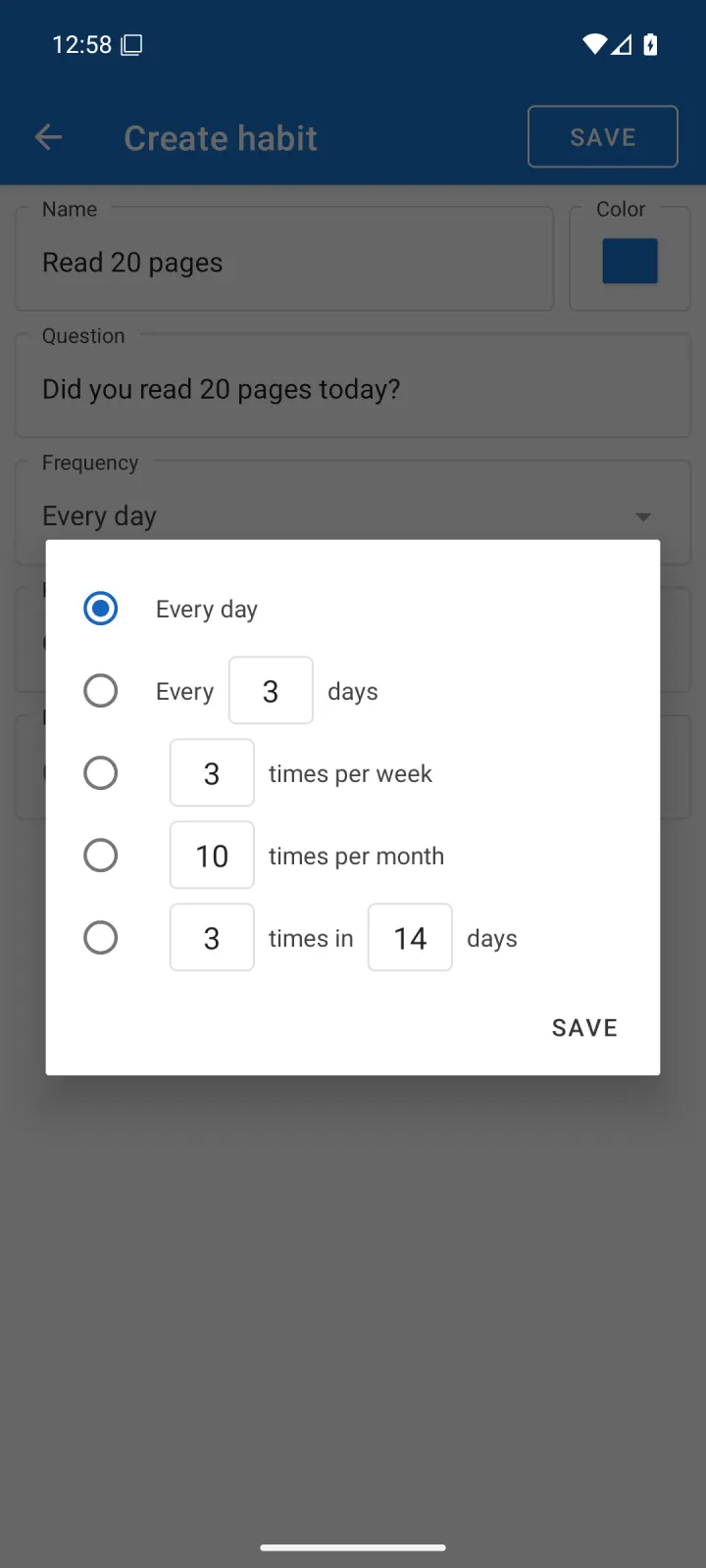
The form has Name, Question, Frequency, Reminder and Notes. Tap Frequency to see five patterns: Every day, Every 3 days, 3 times per week, 10 times per month and 3 times in 14 days. Every number in the dialog can be edited.
Step 3 Use a weekly target when the days move around
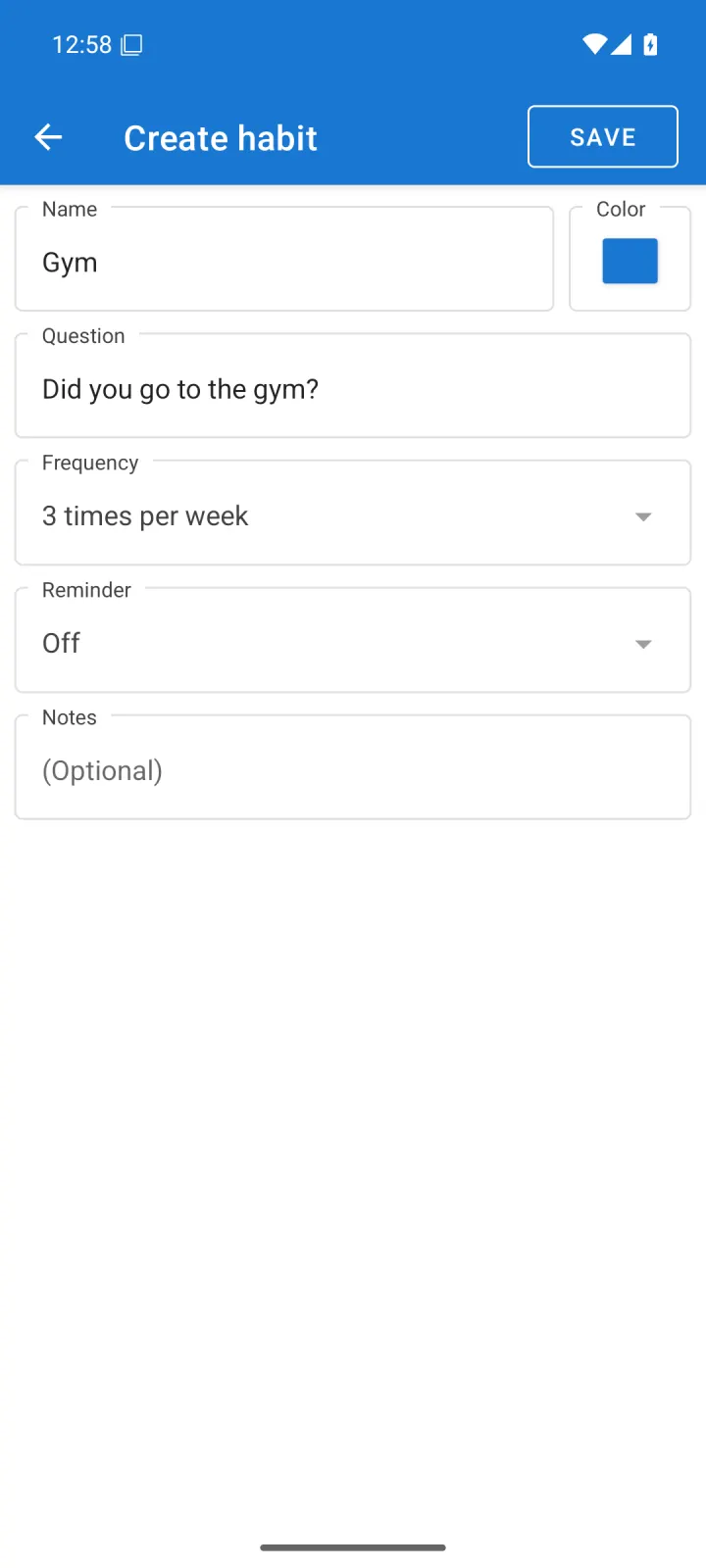
For the gym habit we chose 3 times per week and saved. Loop never asked which days. The Loop FAQ (external site) says you only give the number of repetitions in a period, and the app works out the rest from what you do.
Enter past days in the calendar
Step 4 Open the calendar editor
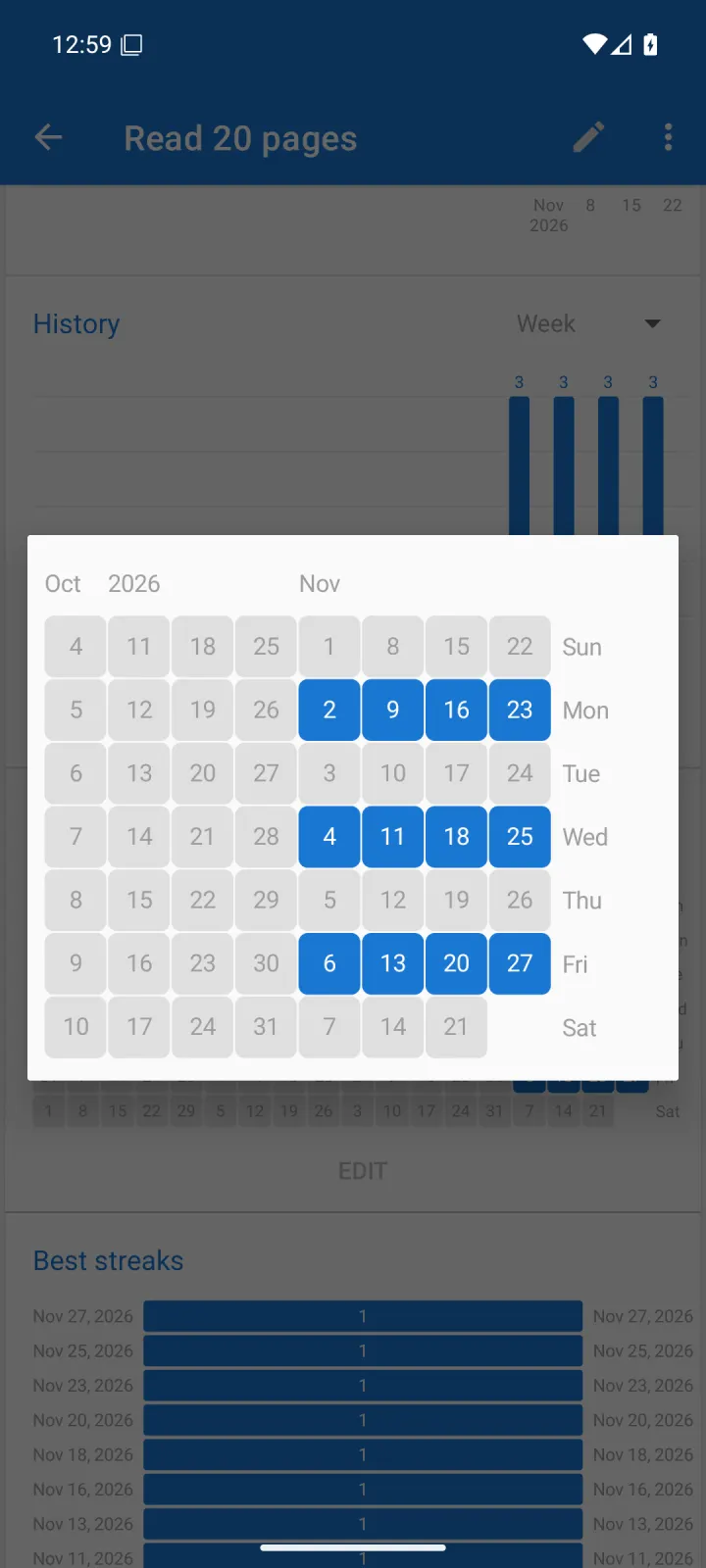
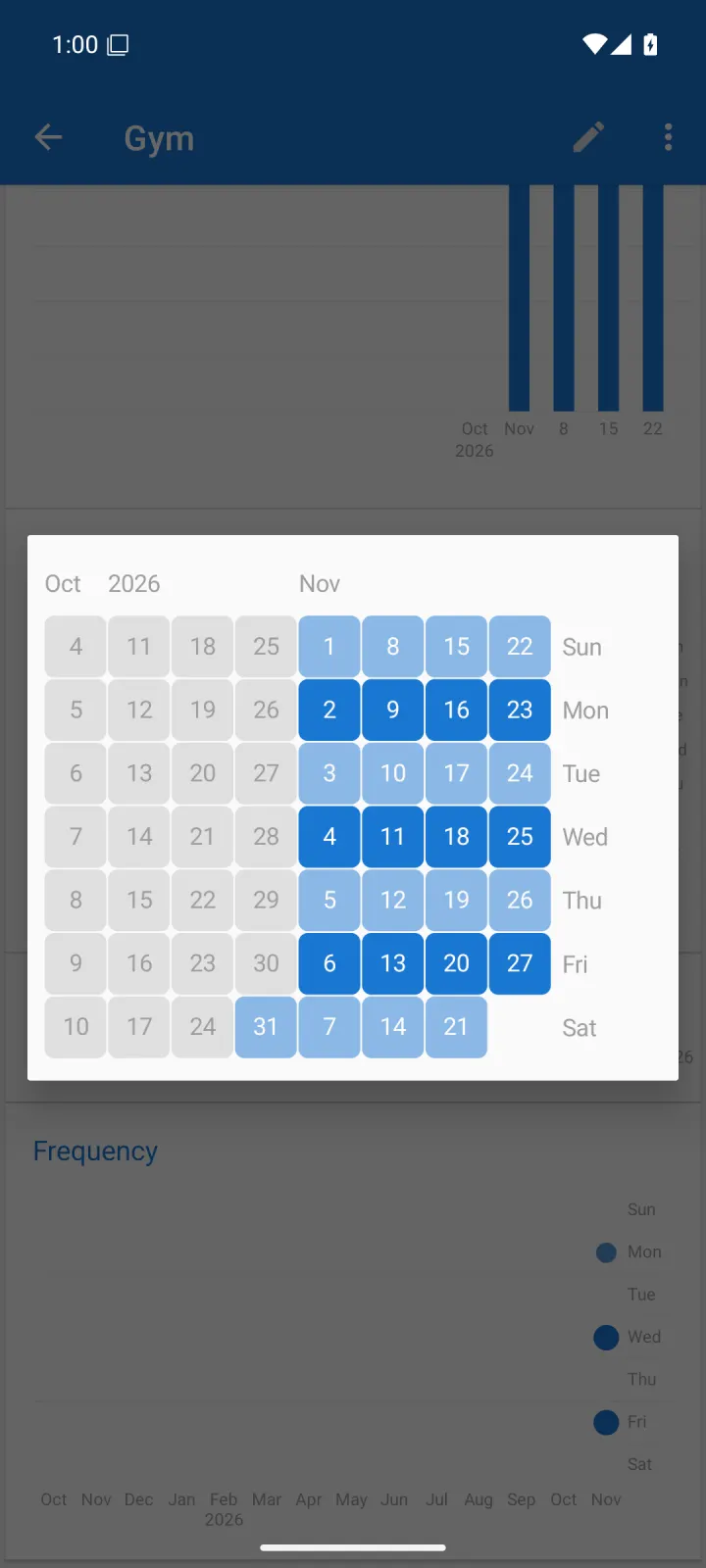
Tap the habit name, scroll to Calendar and tap Edit. A larger grid of recent weeks opens. Tapping a day opens a small box with a Notes field, a check and a cross. We tapped the check on every Monday, Wednesday and Friday since 2 November.
Step 5 Watch the automatic checkmarks appear
On Gym, the same taps did something extra. The days between check-ins turned light blue. The FAQ calls these unfilled checkmarks: the app adds them when a non-daily habit is on track. Read 20 pages, the daily habit, got none.
Step 6 Compare the two rows on the main screen
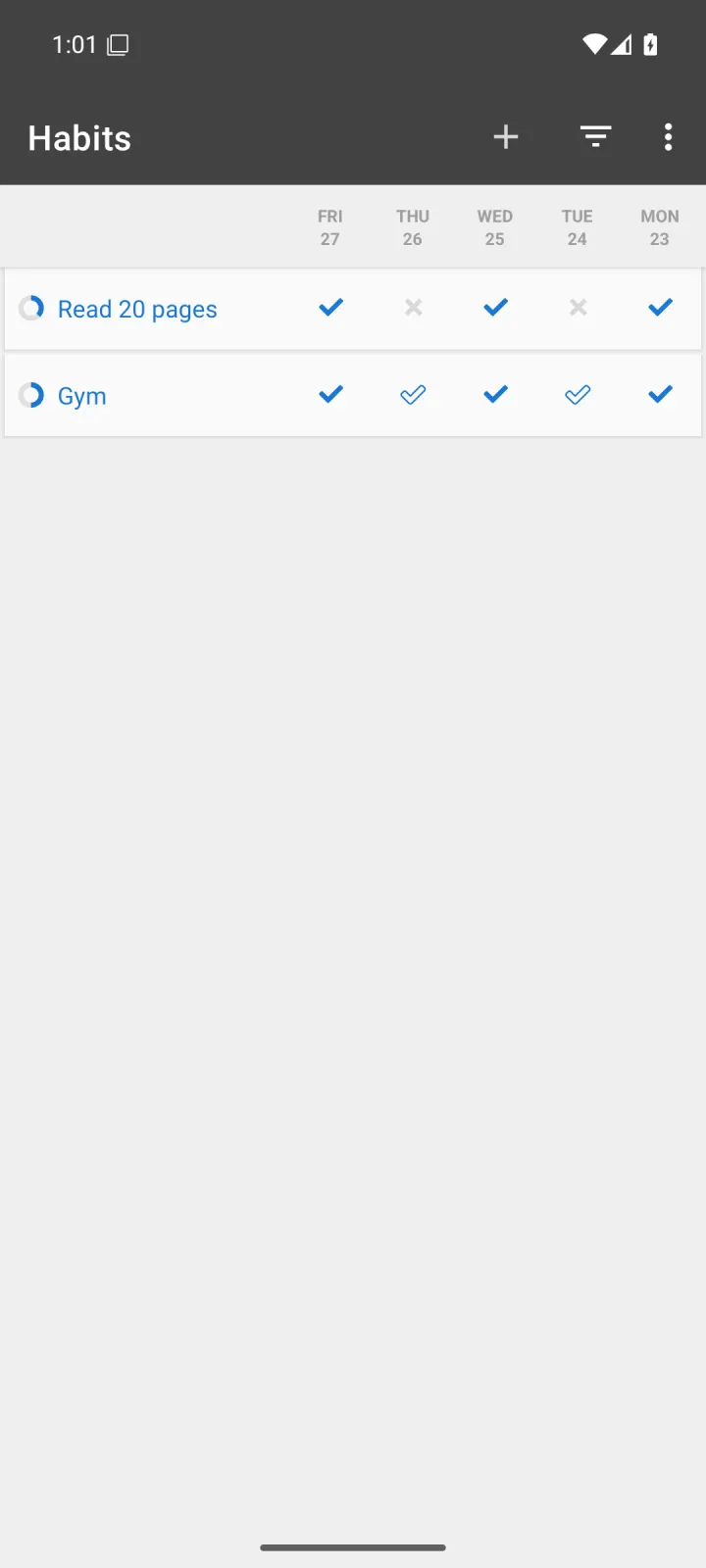
Read 20 pages shows a cross on Tuesday and Thursday. Gym shows hollow checks on the same days, and its ring at the left is fuller.
Read the result
Step 7 Open the Overview card
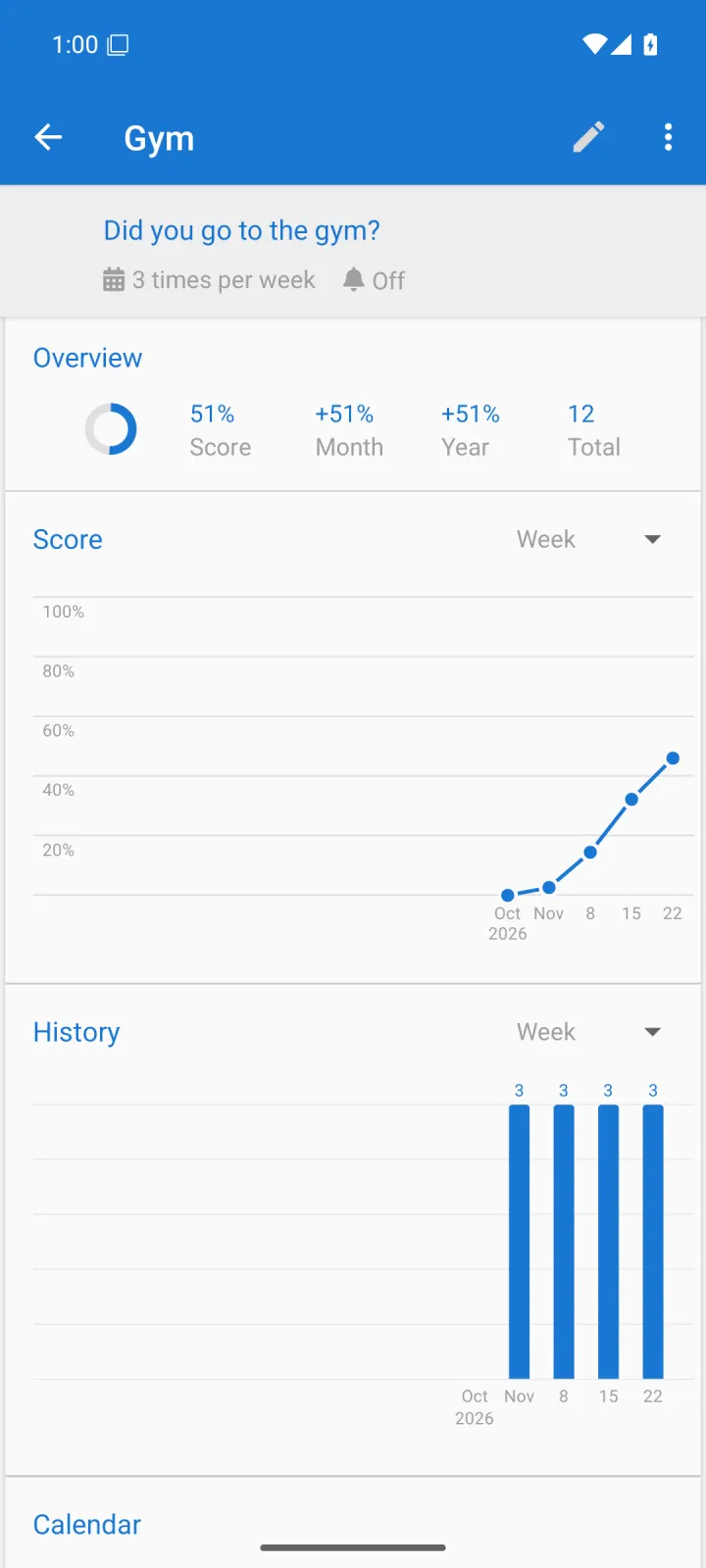
Gym's Overview read 51% for Score, +51% for Month and Year, and 12 for Total. Read 20 pages, with the same 12 check-ins, read 35%. Its score chart in Week view also rose more slowly.
The CSV export showed the same numbers with four decimals: 0.3498 for Read 20 pages and 0.5066 for Gym. In that file, the automatic days of Gym appear as YES_AUTO and the days we tapped as YES_MANUAL.
Why the weekly goal scores higher
The FAQ explains that the score uses exponential smoothing: every check-in counts, recent ones count more, and missed days pull the score down. For the daily habit, every Tuesday, Thursday, Saturday and Sunday in our test was a miss.
The 2.3.2 source code shows how a non-daily Yes or No habit is treated. ScoreList.kt (external site) looks at a window twice as long as the period, 14 days for a weekly goal, and checks whether you reached twice the target, 6 check-ins. Gym met that from the second week on, so its rest days stopped counting against it.
Why not 100%, then? In Score.kt (external site) the size of each daily step also depends on the frequency, and a lower frequency means smaller steps. The FAQ gives the timescale: a perfect daily habit reaches 80% after about one month, an every-other-day habit after about two months, and a weekly habit after about seven.
Change the frequency of an existing habit
Step 8 Edit the habit and switch the frequency
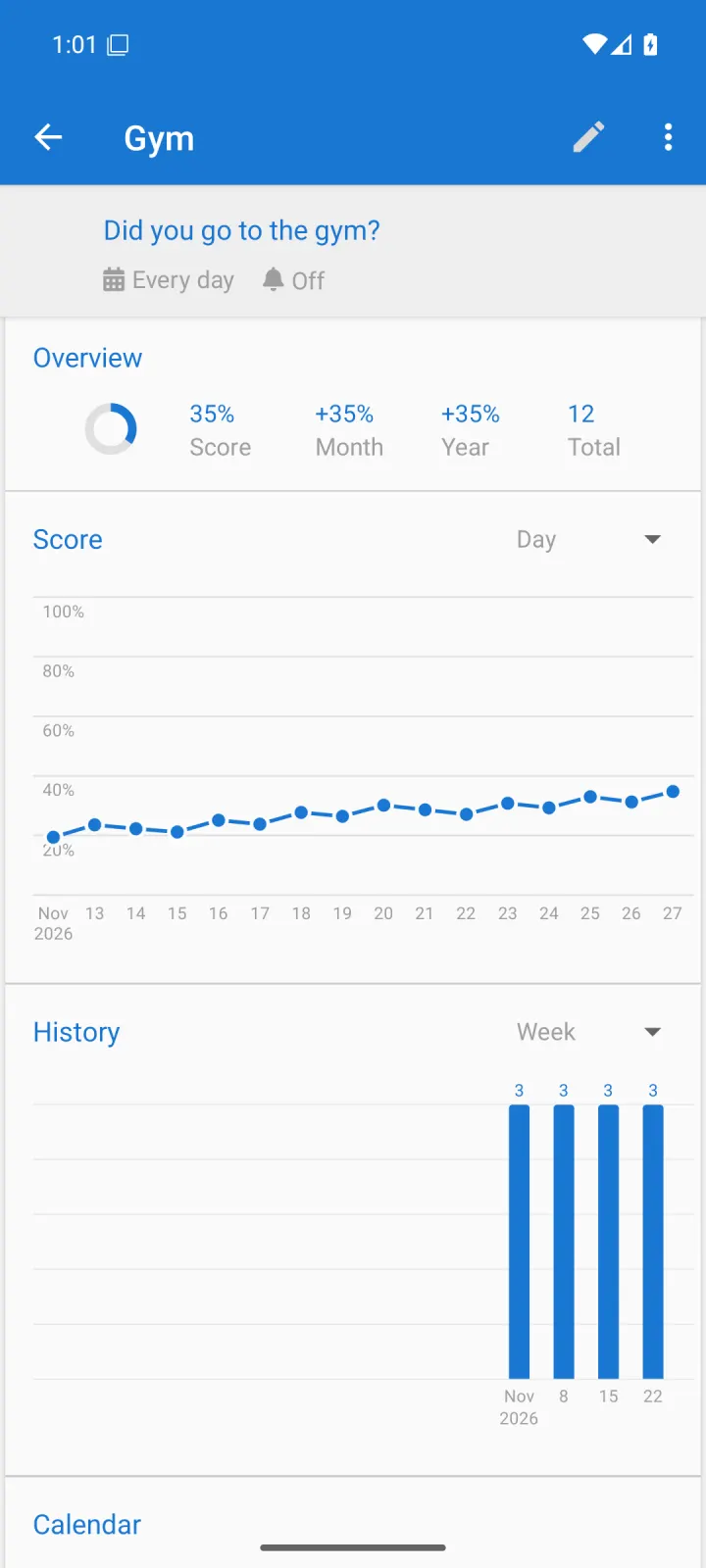
Open the habit, tap the pencil, change Frequency and tap Save. We switched Gym to Every day. Its score dropped to 35% at once, and the score chart was redrawn. Switching back to 3 times per week brought back 51%.
Which frequency to choose
- Every day when a missed day really is a lapse, such as a medication or a short daily review.
- Times per week when the days change, such as workouts. Rest days stop hurting the score.
- Times per month or times in a number of days for slower habits. Expect a slow climb, as the FAQ timescale shows.
- If you could not act on a day, for example while travelling, mark a skip. Our guide to the score and charts shows how, and what a skip did to our score.
Common errors and how we fixed them
ProblemTapping several days quickly in the calendar editor marked only the first one.
FixEach tap opens a small box over the grid. Tap the day, wait for the box, then tap the check. A second tap on the grid while the box is open lands on the box instead.
ProblemDays between workouts showed hollow checks we never entered.
FixThis is expected on non-daily habits. They are automatic checkmarks, stored as
YES_AUTOin the CSV export, and they do not raise the Total count.ProblemAfter four perfect weeks, the weekly habit was still near 50%.
FixNon-daily habits climb more slowly by design. The FAQ says a weekly habit needs about seven months to reach 80%.
Sources
We checked these sources on the test date.