Tutorial · AnkiDroid
How to switch AnkiDroid to the FSRS scheduler without breaking your review queue
We turned on FSRS in AnkiDroid 2.25.3 with six reviews waiting, compared the due counts and the answer-button intervals before and after, and tested the Reschedule cards on change option with a backup ready.
Test record
- App
- AnkiDroid 2.25.3 (GitHub release, x86_64 build)
- Device
- Pixel 7 emulator, Android 16 (API 36)
- Tested
- APK source
- official release page (external site)
- Conditions
- Test collection with 12 Basic notes and FSRS off (SM-2) at the start. No AnkiWeb account. Six cards set as due today with the card browser's Set due date, so there was a review queue to protect. Backup created before the reschedule test.
Why the switch can go wrong
FSRS is the newer scheduler in Anki and AnkiDroid. The Anki manual (external site) presents it as an alternative to the older SM-2 algorithm that estimates how likely you are to forget each card. Turning it on takes one switch. The risk sits in the options around that switch: one of them can move the due date of every card at once.
Our goal was simple. Switch to FSRS, then confirm that the number of reviews due today stayed the same. Three things to do before you start:
- Check every Anki app you use. The manual says all your clients must support FSRS and lists AnkiDroid 2.17 or newer. We tested 2.25.3.
- Make a backup. In the deck list menu, tap Create backup. Ours finished in about a second with the message Backup created. Our backup and restore guide covers the details.
- Write down your current counts. Without a before picture, you cannot tell whether anything moved.
Step 1: record the queue on SM-2
Step 1 Note the three numbers next to the deck
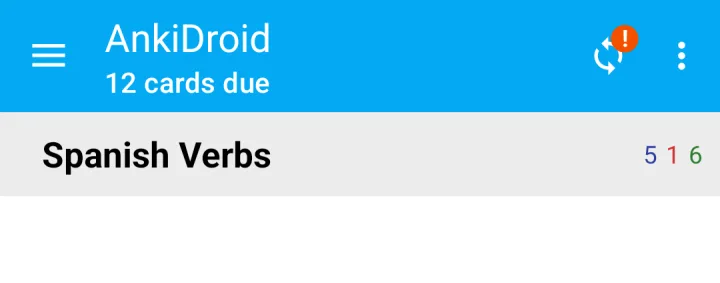
Our deck showed 5 new, 1 in learning and 6 reviews due. The six reviews were cards we had set as due today with Set due date in the card browser, because a brand-new collection has no real reviews yet.
Step 2 Look at one review card without answering it
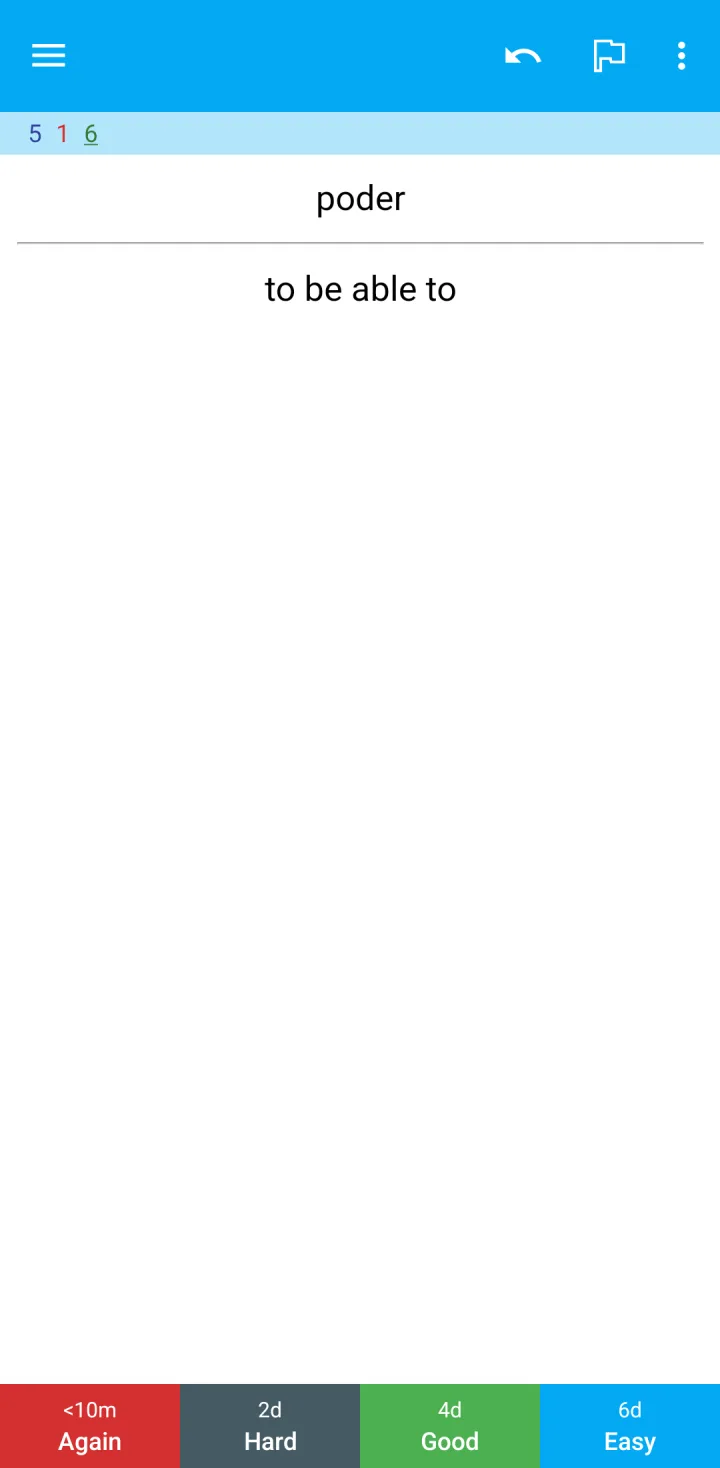
We opened the deck and revealed the first review card, poder. The SM-2 buttons read Again under 10 minutes, Hard 2 days, Good 4 days and Easy 6 days. Press back instead of answering, so the queue stays as it is.
Step 2: find the FSRS switch
Step 3 Open Deck options and scroll to the middle
Long-press the deck and choose Deck options. In 2.25.3 the FSRS section sits between Display Order and Burying. The short guide in the Anki manual says to look at the bottom of the page, but at the bottom of our page we found Advanced, so we scrolled back up to find it.
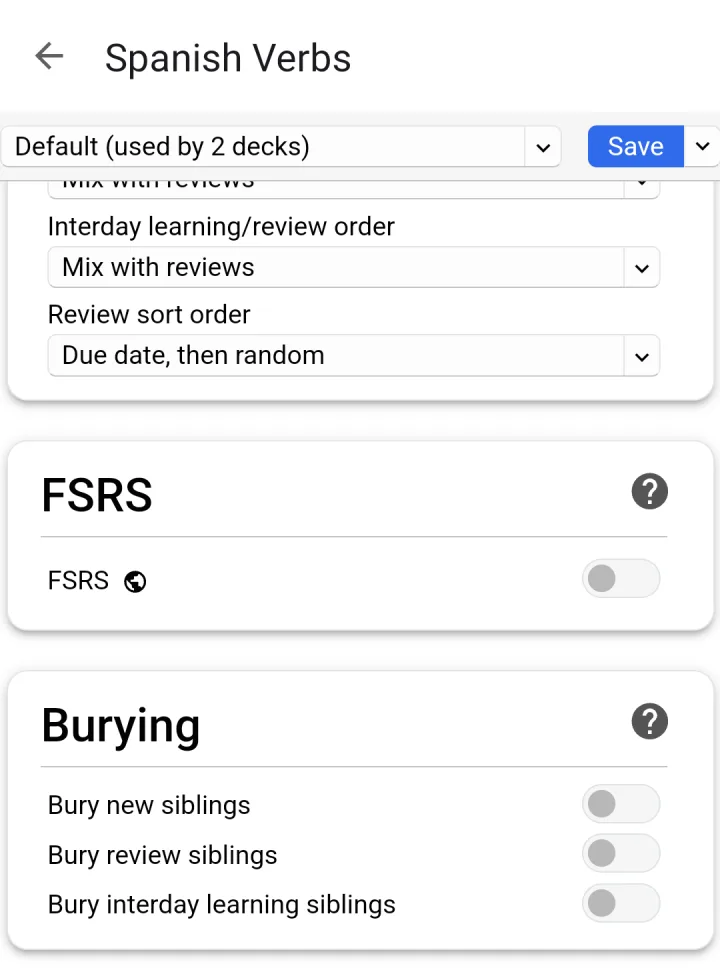
The switch is not per deck. The manual says FSRS can only be enabled for the whole collection, so it affects every preset you have.
Step 3: turn it on and keep the defaults
Step 4 Flip the FSRS switch
The section expanded at once. Desired retention showed 90%, FSRS parameters said Default parameters, and Reschedule cards on change was off.
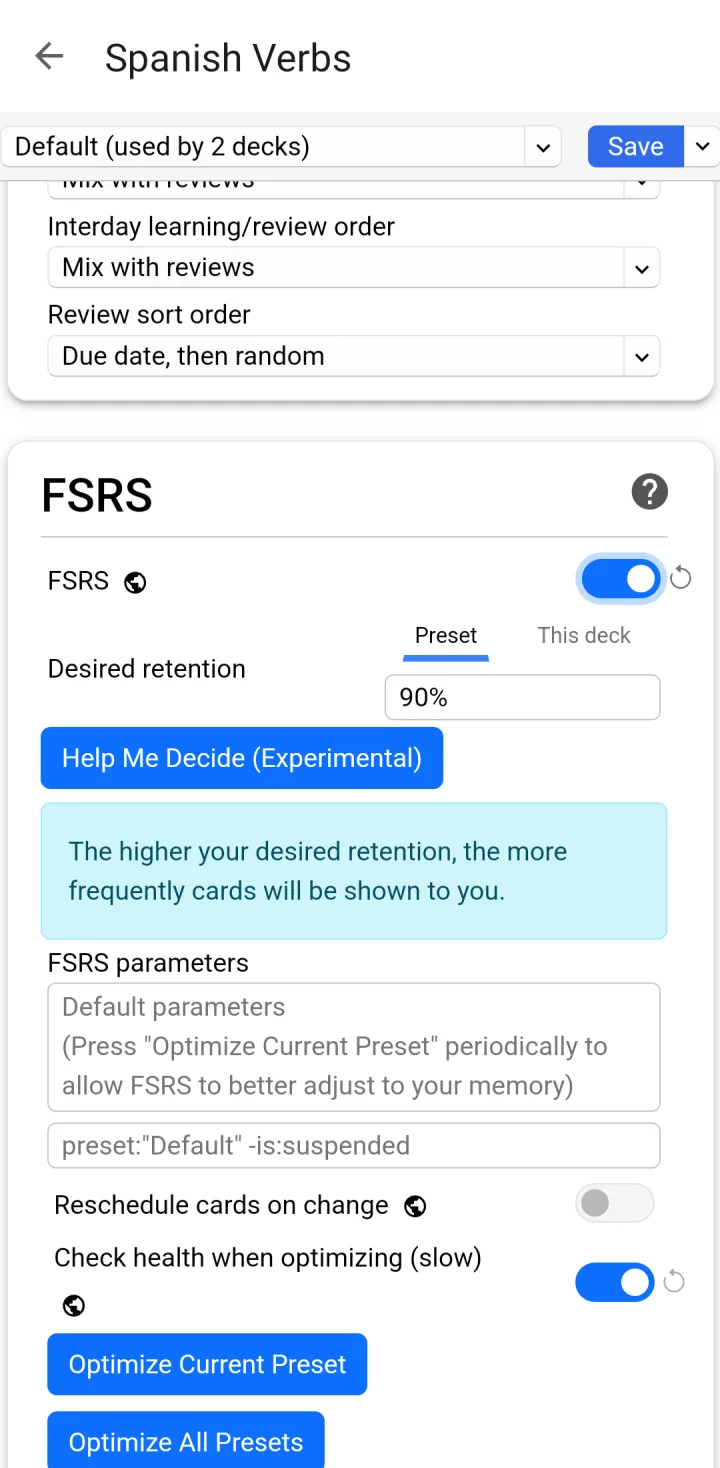
Those defaults are the safe path. According to the manual (external site), 90% balances retention and workload, and the workload grows quickly above that. With rescheduling off, due dates stay where they are and only your next answers use FSRS.
Step 5 Try Optimize Current Preset
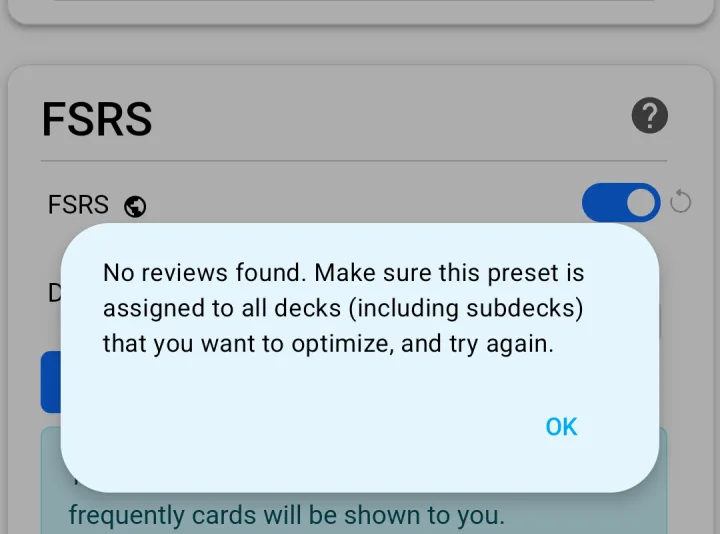
The manual suggests pressing the optimize button after you enable FSRS. On our new collection the app replied: No reviews found. Make sure this preset is assigned to all decks (including subdecks) that you want to optimize, and try again. The parameters stayed at their defaults.
The optimizer learns from your review history. The manual (external site) names a low number of reviews, under a few hundred, as a common reason for weak results, and says optimizing once a month is enough. Come back to this button after a few weeks of real study.
Step 6 Check the learning steps, then save
Scroll up to New Cards and Lapses. Ours were 1m 10m and 10m. The manual asks for learning and relearning steps shorter than one day under FSRS, so the defaults already qualify. Tap Save at the top.
One habit to change now, per the manual: do not press Hard when you forgot a card. FSRS counts Hard as a pass. Use Again for a miss.
Step 4: confirm that nothing moved
Step 7 Compare the answer buttons
The next review card, ir, was in the same state as poder had been before the switch. Its buttons now read Again under 10 minutes, Hard 1 day, Good 2 days and Easy 3 days. The intervals for the next answer changed. Today's queue did not.
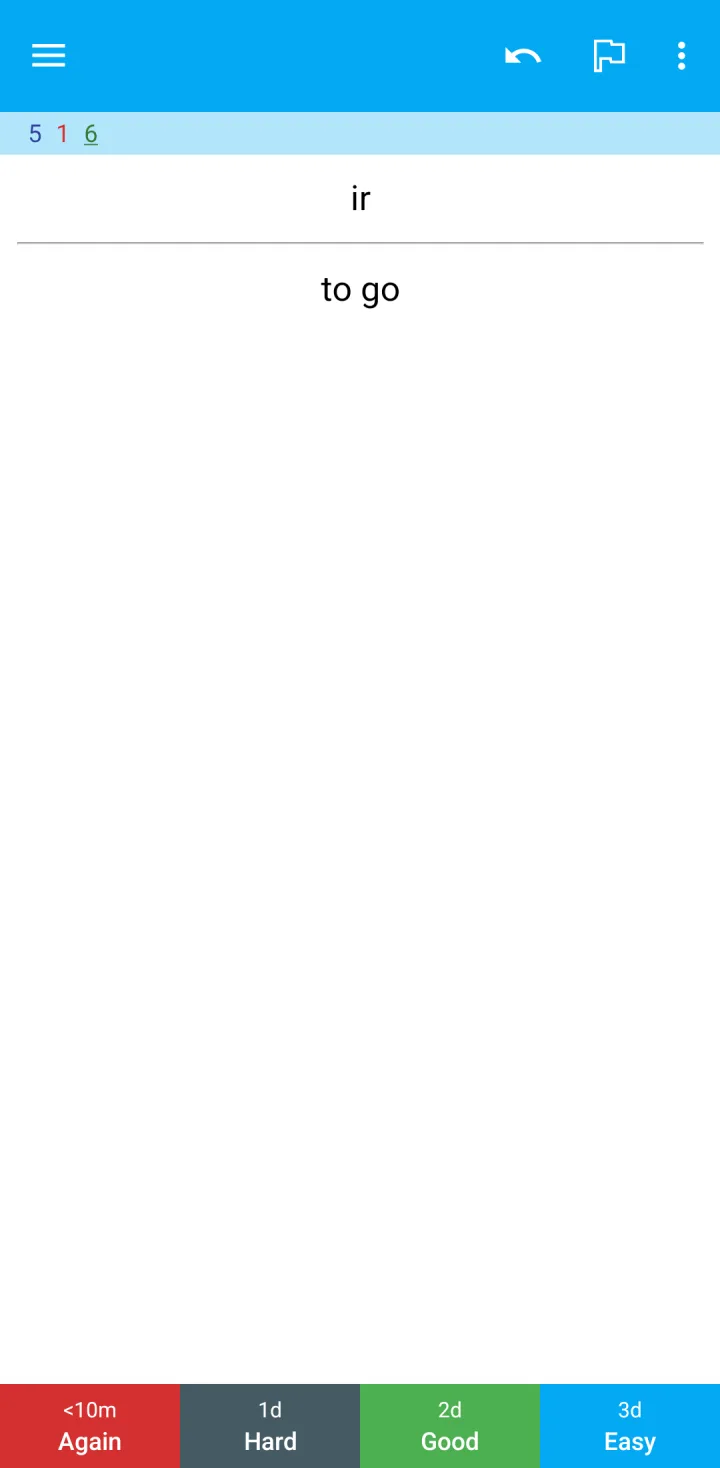
| What we checked | Before, SM-2 | After, FSRS without rescheduling |
|---|---|---|
| Due today (new / learning / review) | 5 / 1 / 6 | 5 / 1 / 6 |
| Again | under 10 minutes | under 10 minutes |
| Hard | 2 days | 1 day |
| Good | 4 days | 2 days |
| Easy | 6 days | 3 days |
Our cards had no review history, so FSRS ran on its default parameters. Your intervals will depend on your own cards and history.
The option that can flood your queue
Step 8 Read the warning under Reschedule cards on change
When we turned this switch on, a yellow note appeared. It says the option can make a large number of cards due, that it is not recommended when first switching from SM-2, and that it adds a review entry to every card.
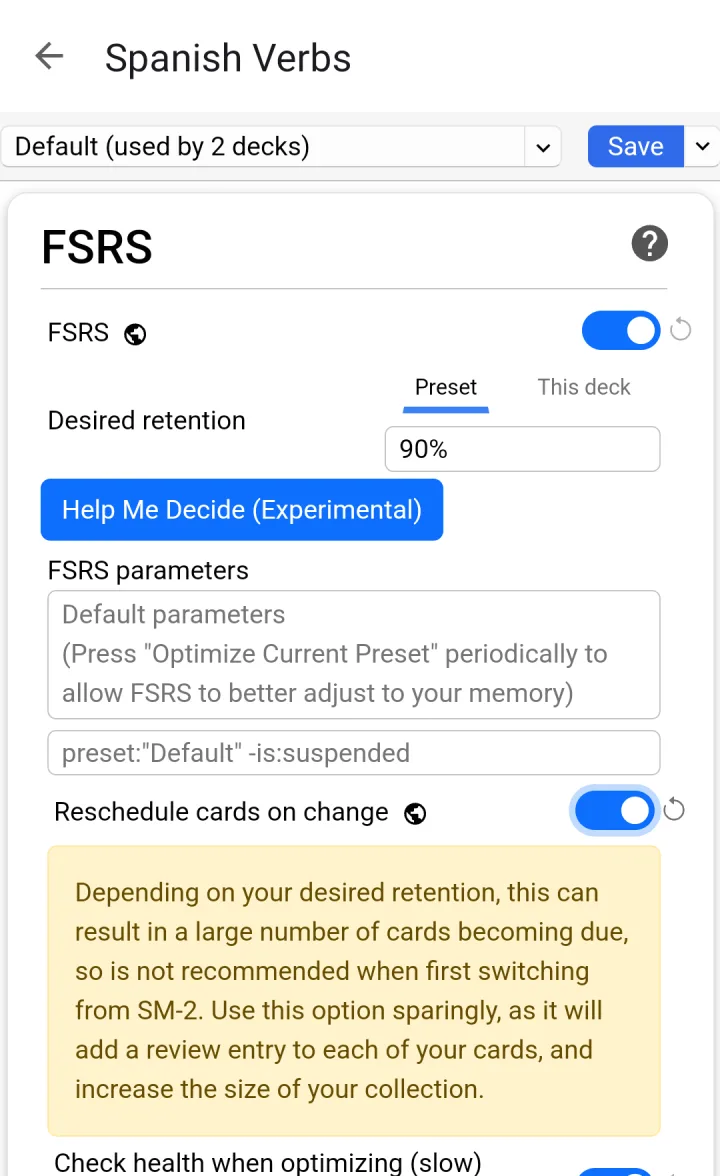
We tested it anyway, with the backup from the start of this guide ready. With rescheduling on, we lowered desired retention to 80% and saved.
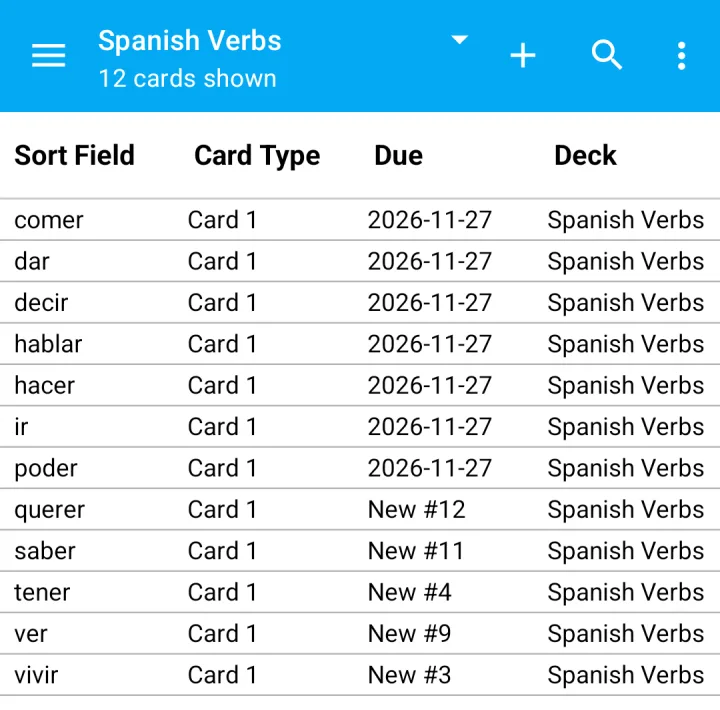
To undo the experiment, we used Restore from backup in the deck list menu and picked the backup made before the test. Deck options came back with FSRS on, 90% retention and rescheduling off.
Common errors and how we fixed them
ProblemThe FSRS switch was not at the bottom of Deck options.
FixIn 2.25.3 it sits between Display Order and Burying. The last section on the page is Advanced.
ProblemOptimize Current Preset said No reviews found.
FixNormal on a new collection. Keep the default parameters and optimize again once you have a few hundred real reviews.
ProblemThe answer buttons showed shorter intervals after the switch.
FixExpected with default parameters and 90% retention. Do not edit the parameters by hand; the manual advises against changing or copying them.
ProblemFear of a flood of due cards after switching.
FixLeave Reschedule cards on change off. With it off, our due count did not change, and a backup lets you roll back if it does.
Sources
We checked these sources on the test date.